
SaaS pricing page examples
A SaaS pricing page works when a visitor can name the right plan, understand the price and its billing unit, and see the next action without opening another tab. This hub collects 34 real pricing sections from captured SaaS sites and groups them by plan comparison, billing toggle, feature limits, trust and CTA placement.
Open any example to inspect the full captured section, then follow the source link to the live page. The patterns are observations from the captures, not current offers.
SaaS pricing page examples
Each card links to the captured pricing section and to the site it came from. For the wider catalog, browse every pricing section example or the reviewed pricing page examples hub.
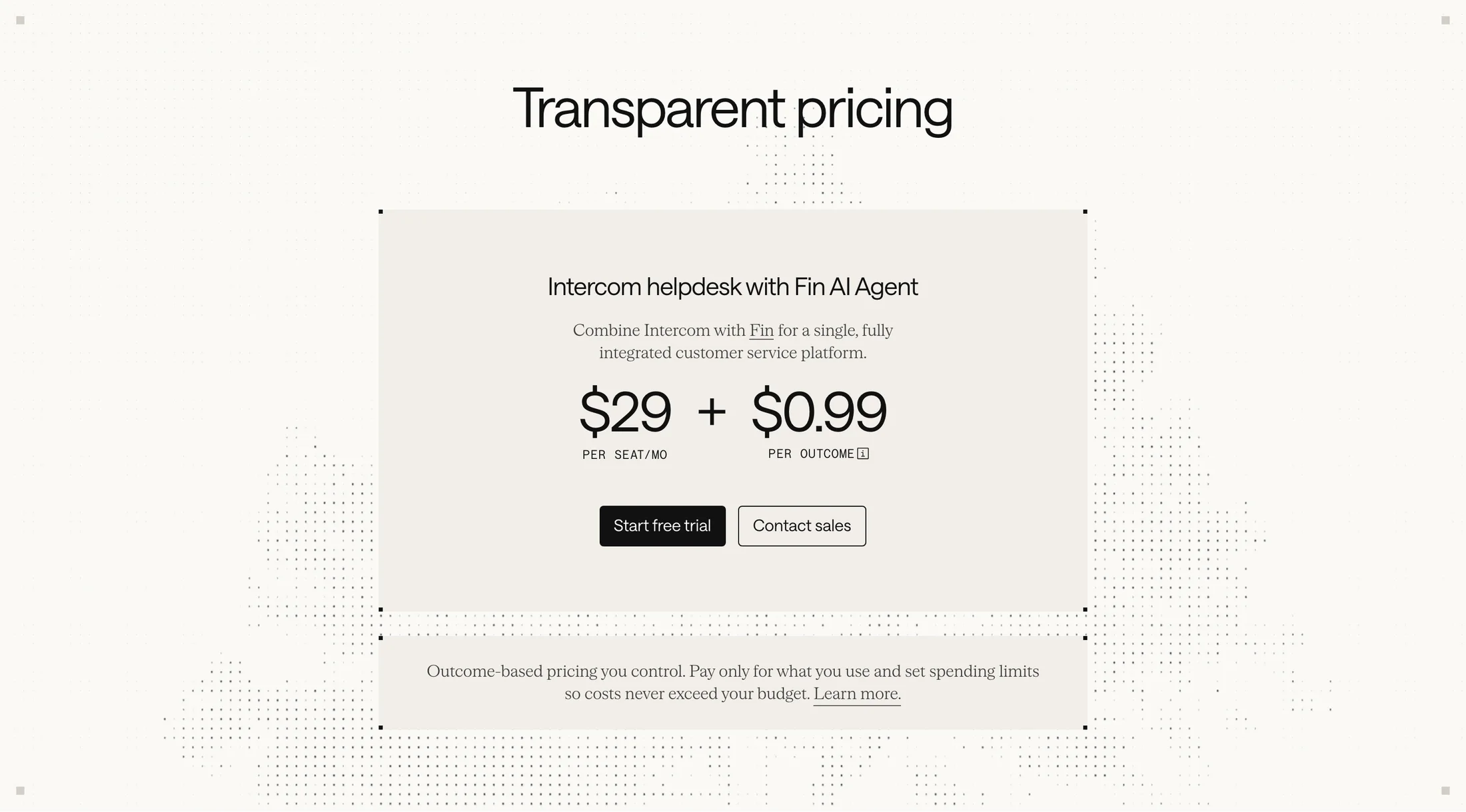 “Transparent pricing”Intercom source page
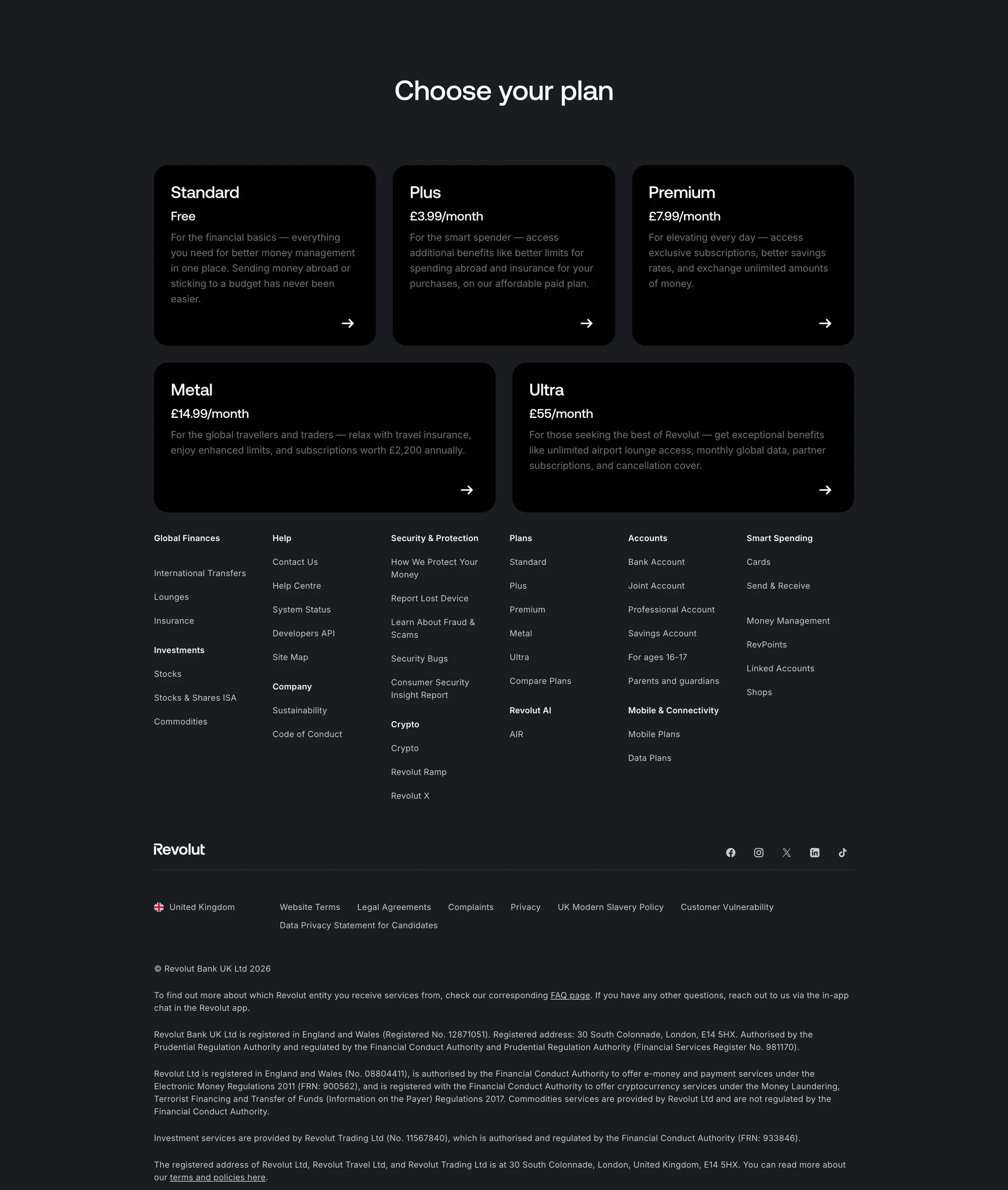 “Choose your plan”Revolut source page
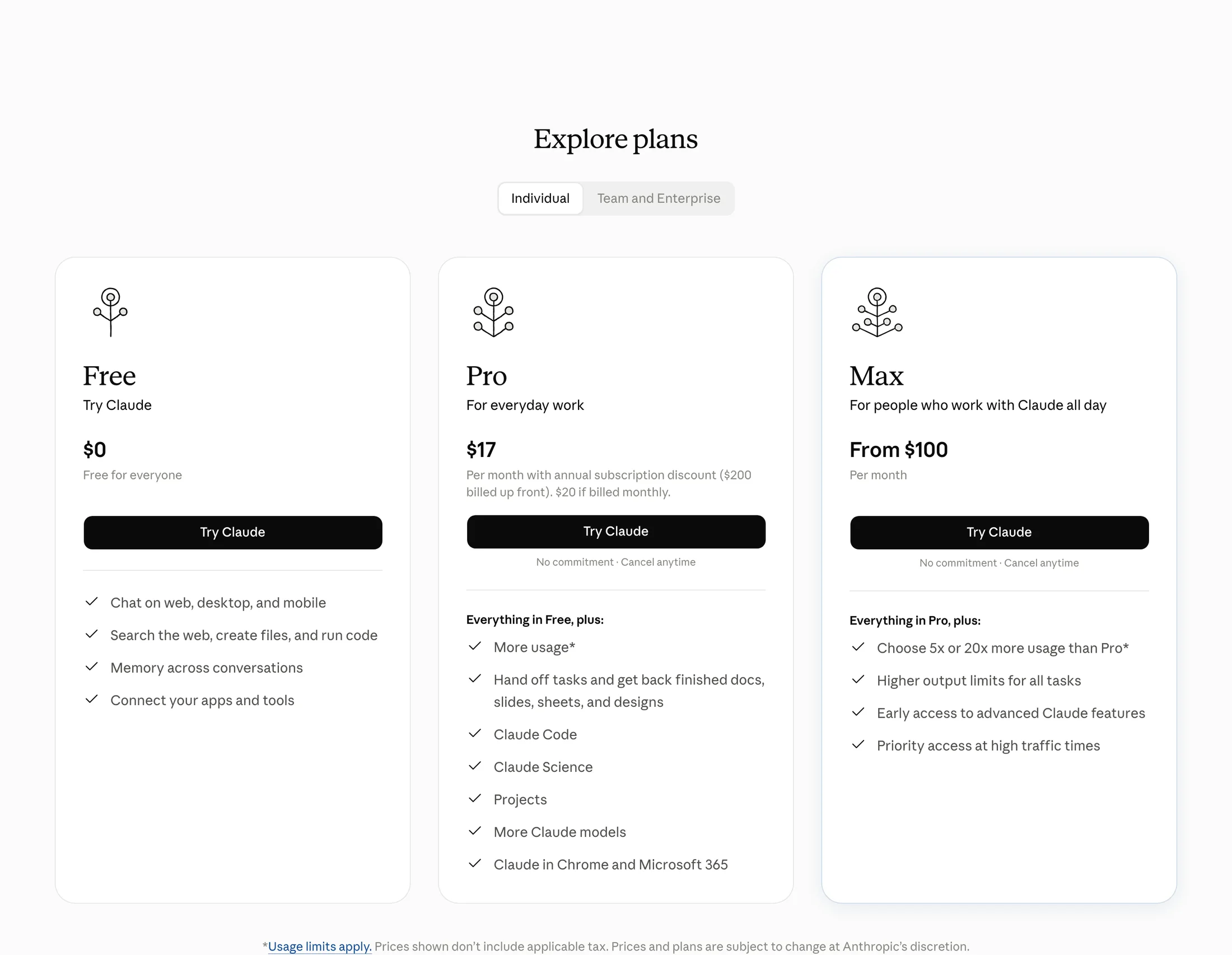 “Explore plans”Claude source page
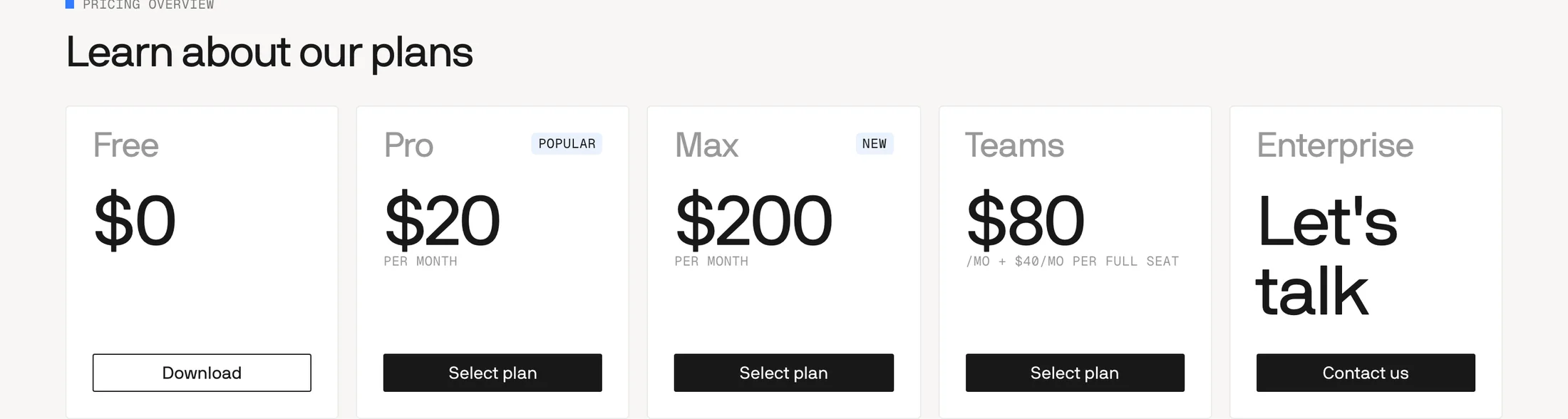 “Learn about our plans”Windsurf source page
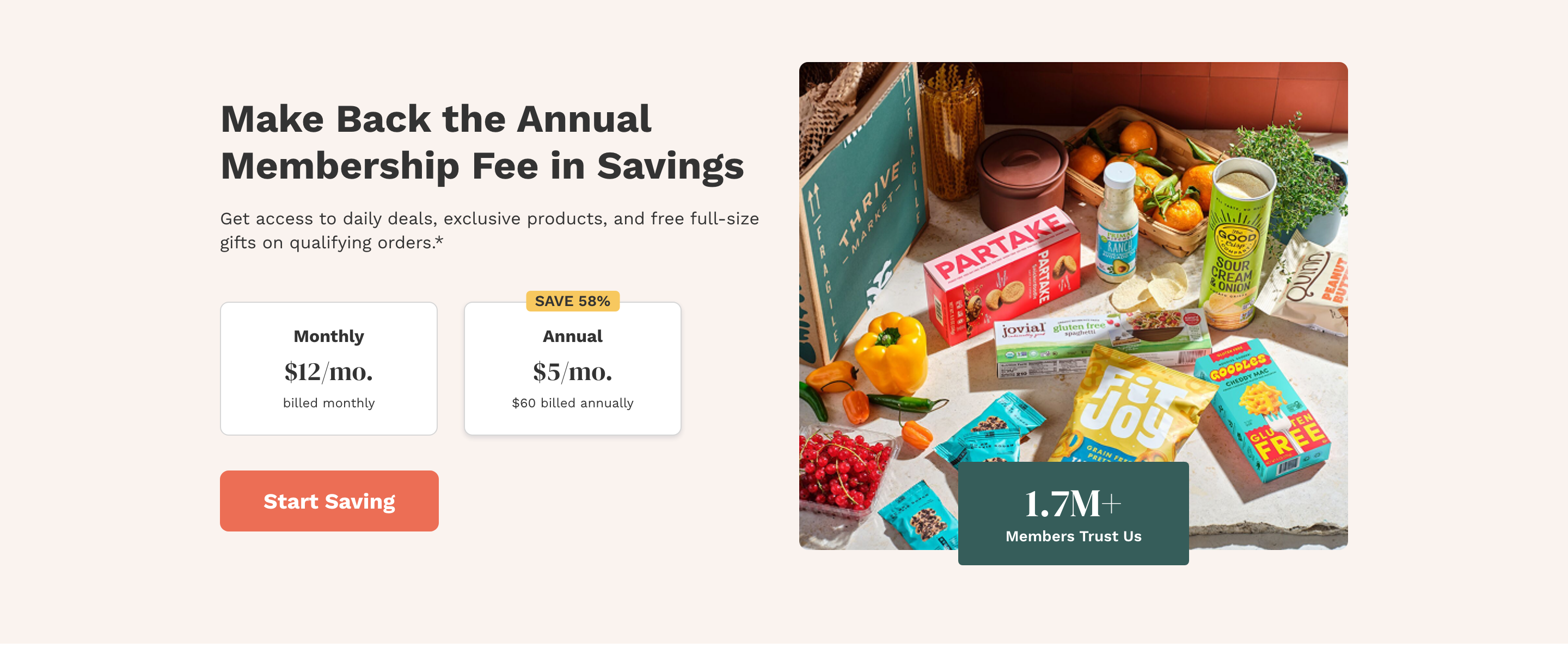 “Make Back the Annual Membership Fee in Savings”Thrive Market source page
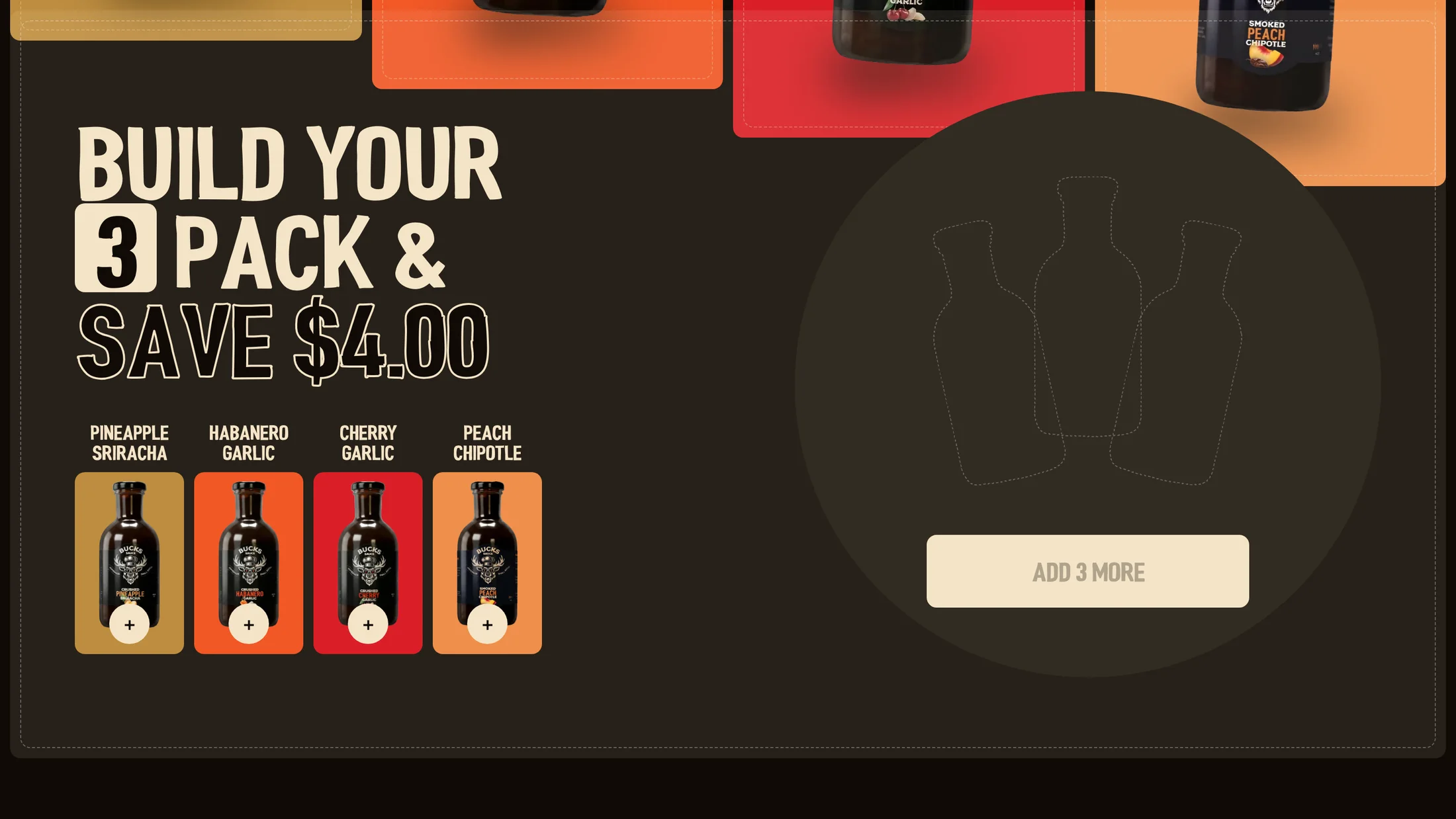 “BUILD YOUR 3 PACK & SAVE $4.00”Buckssauce source page
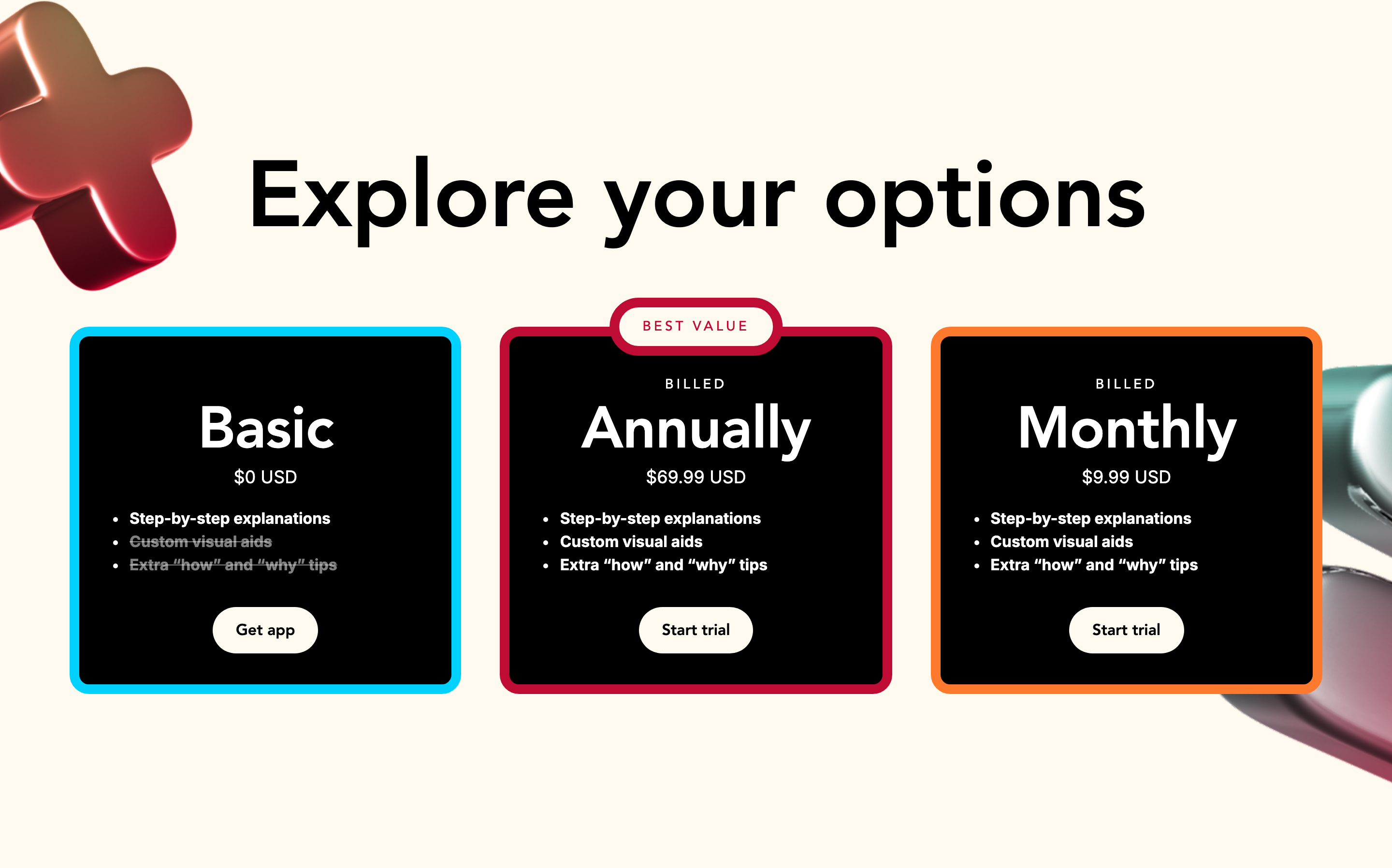 “Explore your options”Photomath source page
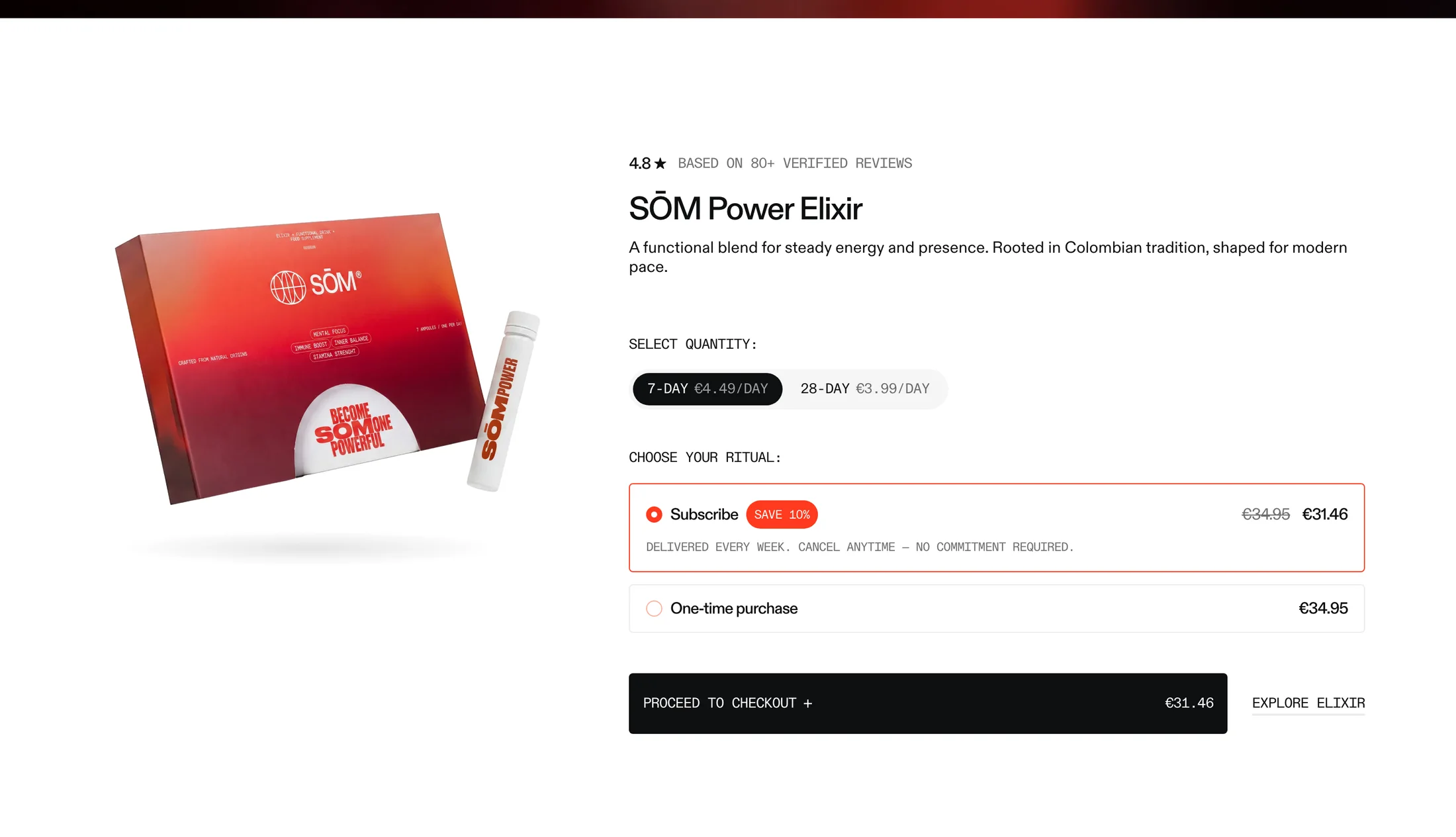 “SŌM Power Elixir”Drinksom source page
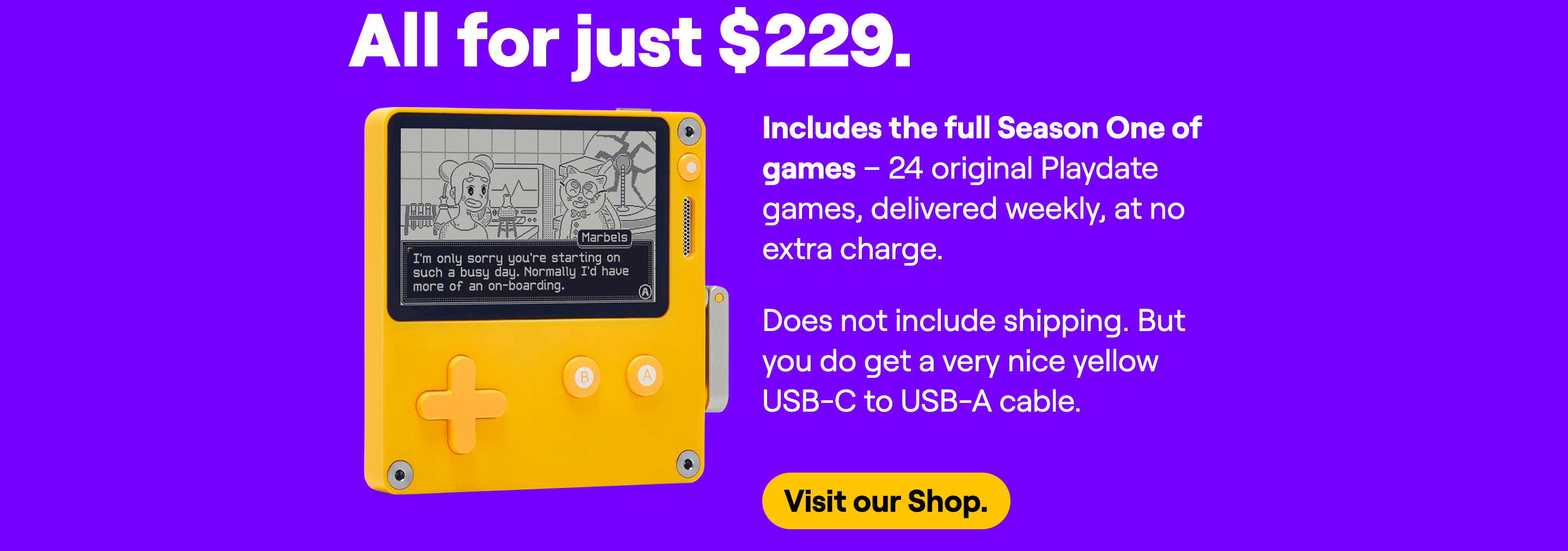 “All for just $229.”Playdate source page
 Pricing sectionSlite source page
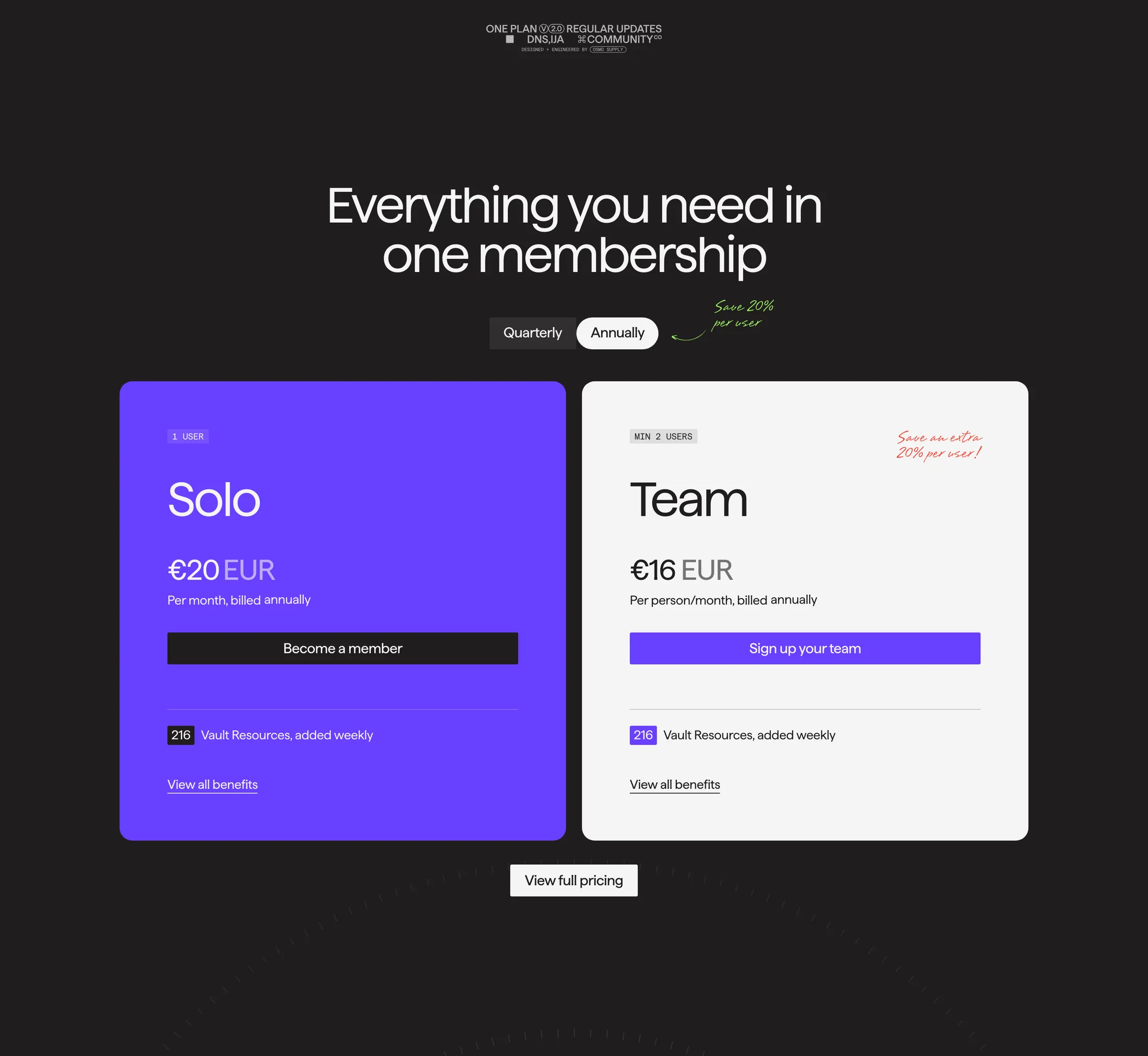 “Everything you need in one membership”Osmo source page
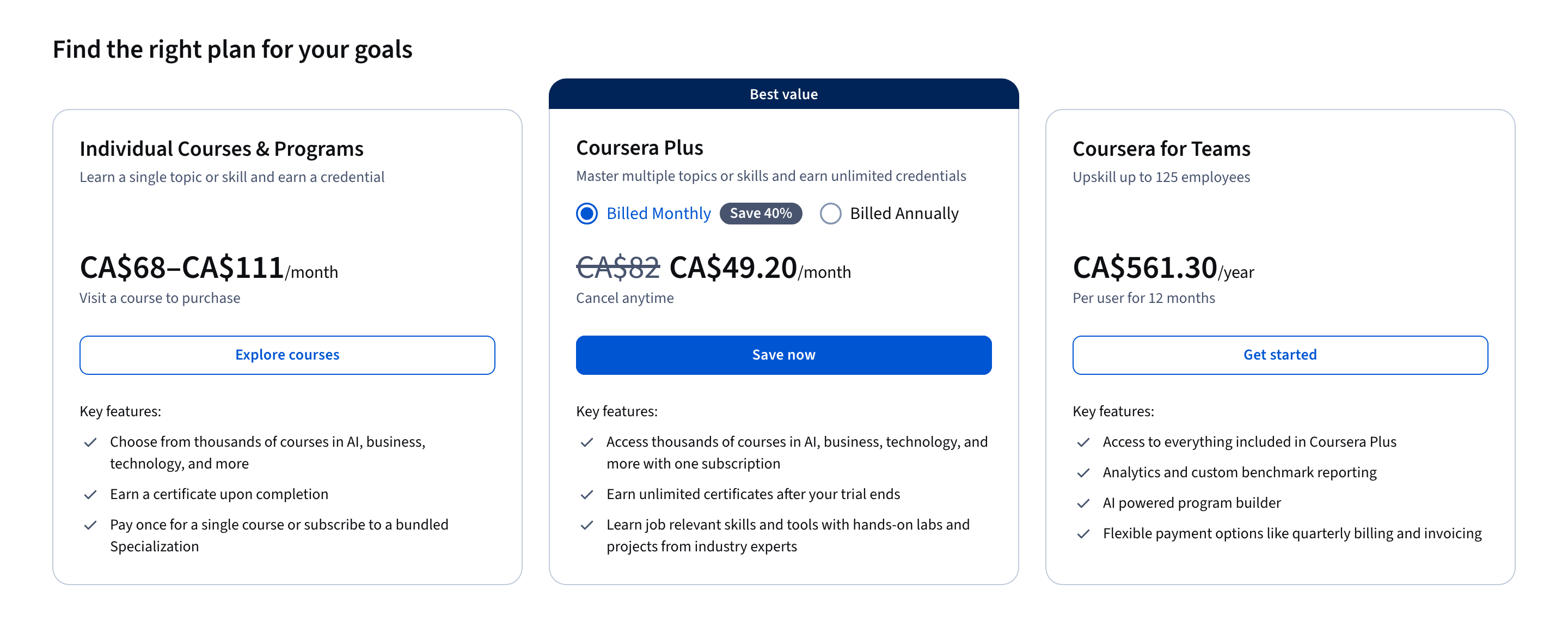 “Find the right plan for your goals”Coursera Plus source page
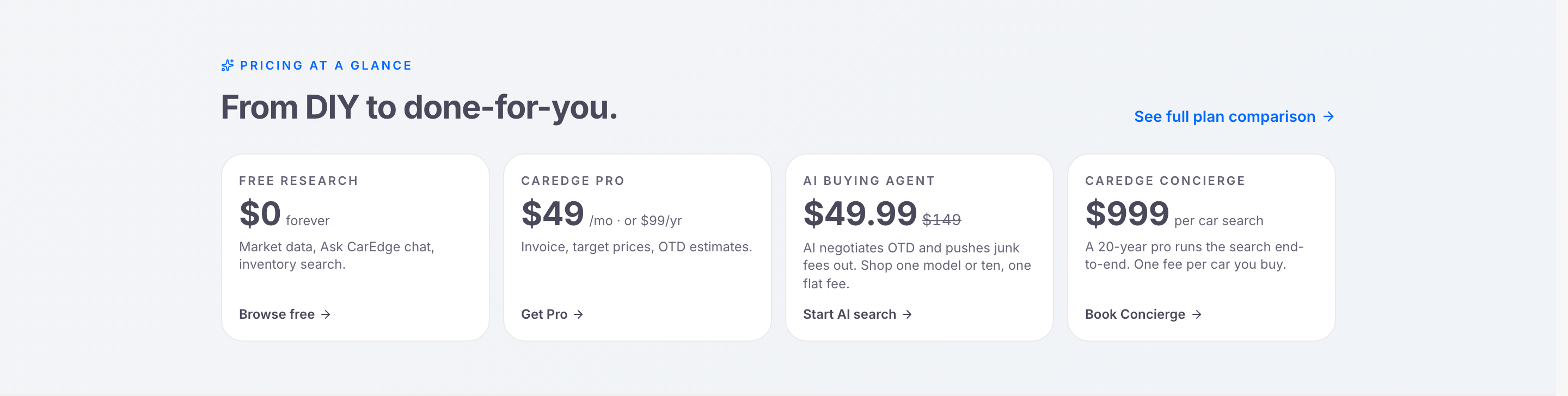 “From DIY to done-for-you.”CarEdge source page
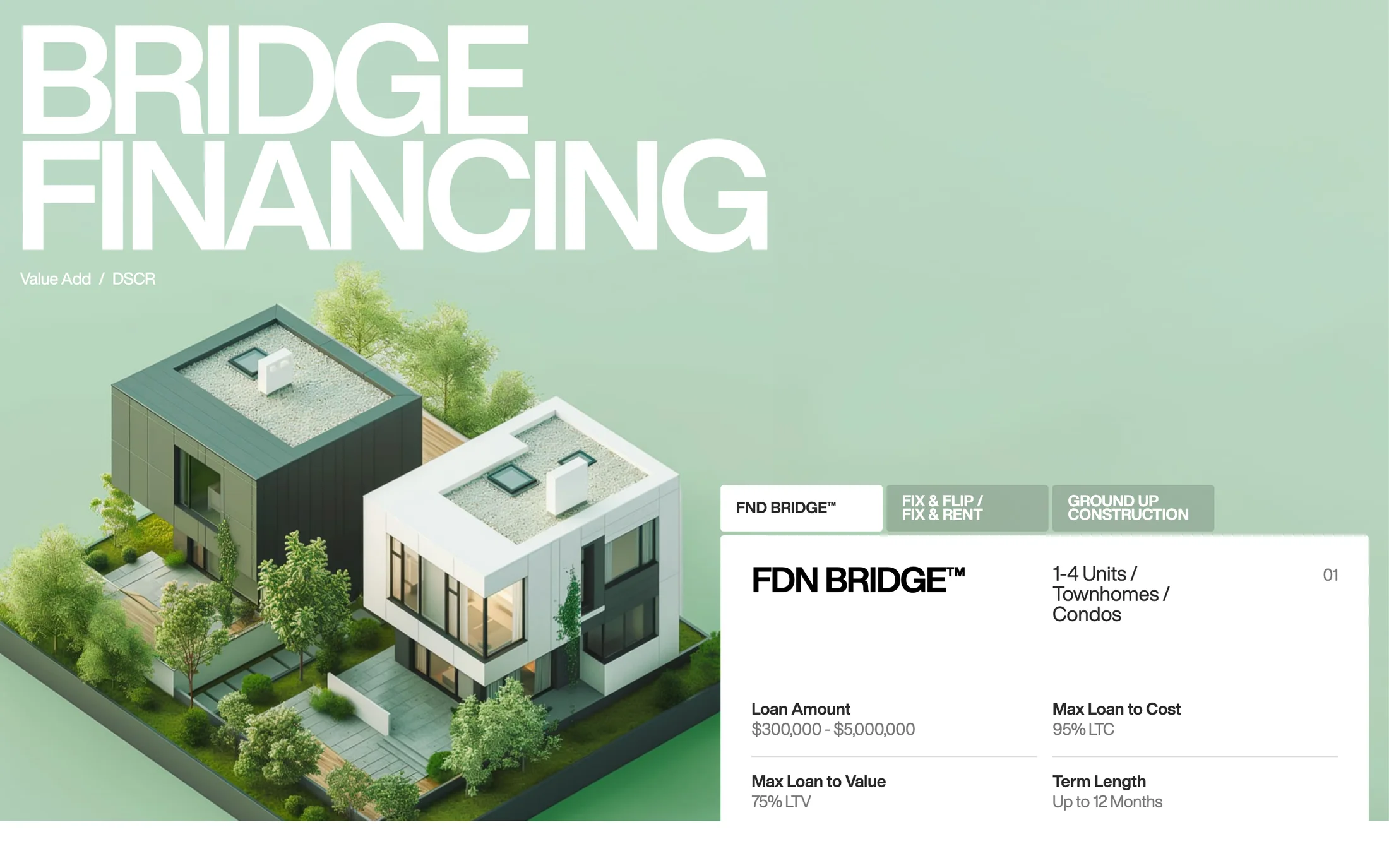 Pricing sectionThefoundation source page
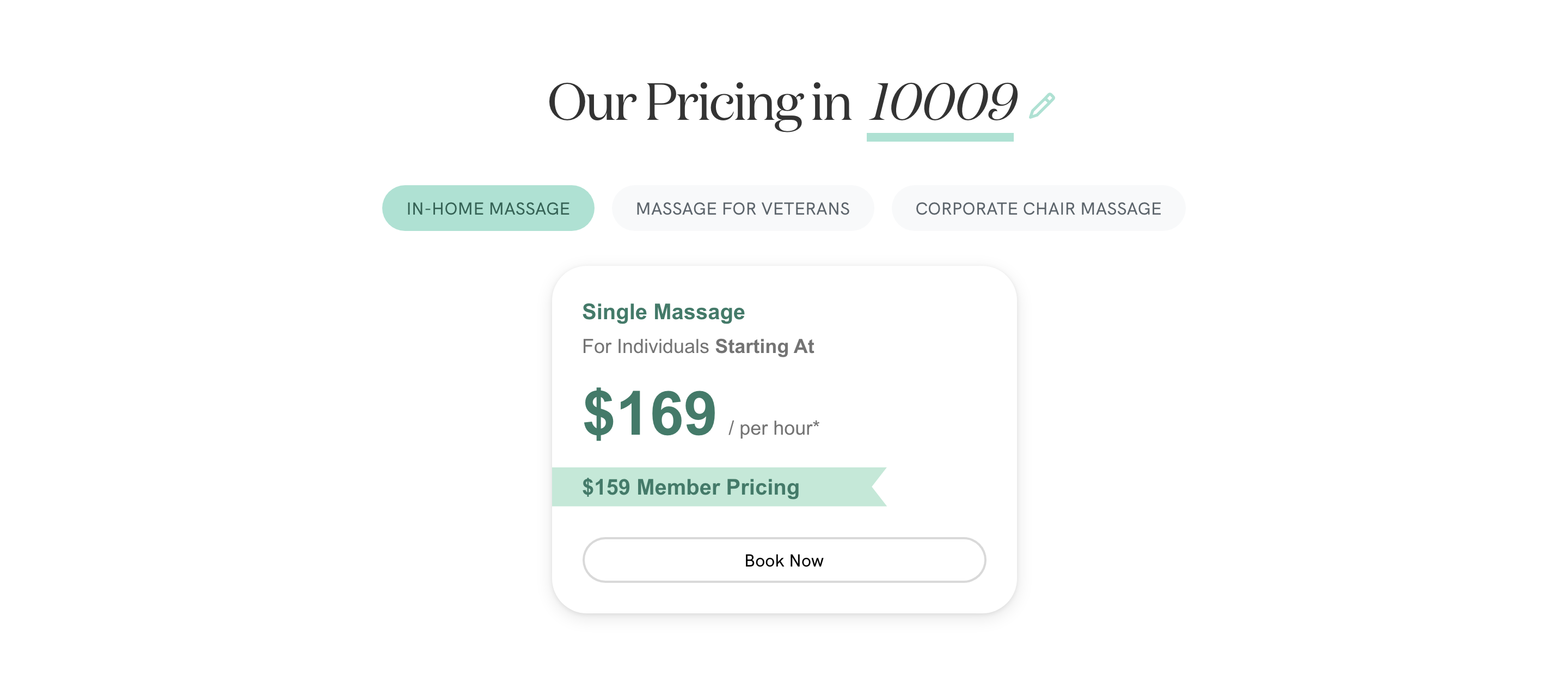 “Our Pricing in 10009”Zeel source page
 Pricing sectionGlowbar source page
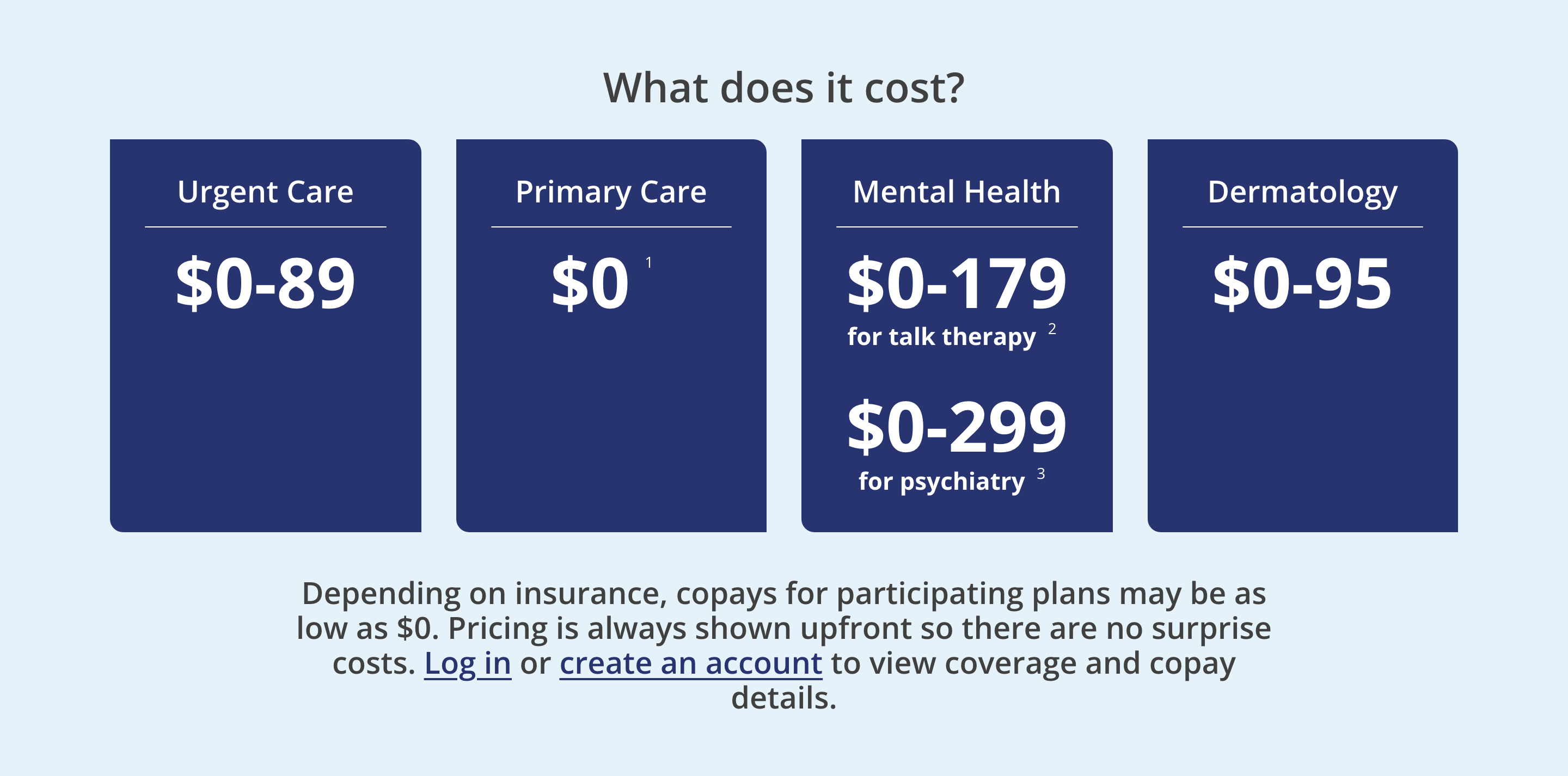 “What does it cost?”MDLIVE source page
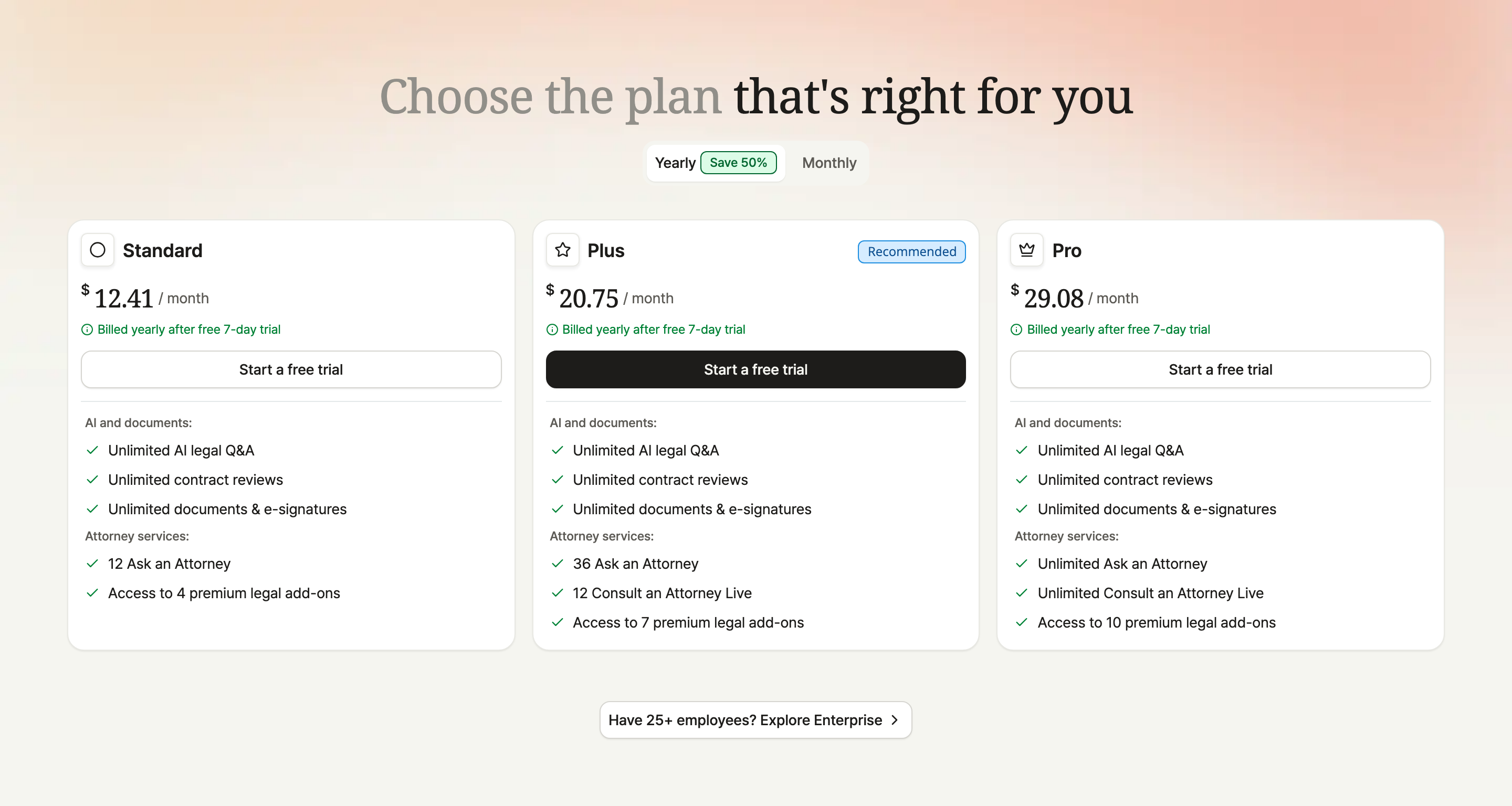 “Choose the plan that's right for you”Rocket Lawyer source page
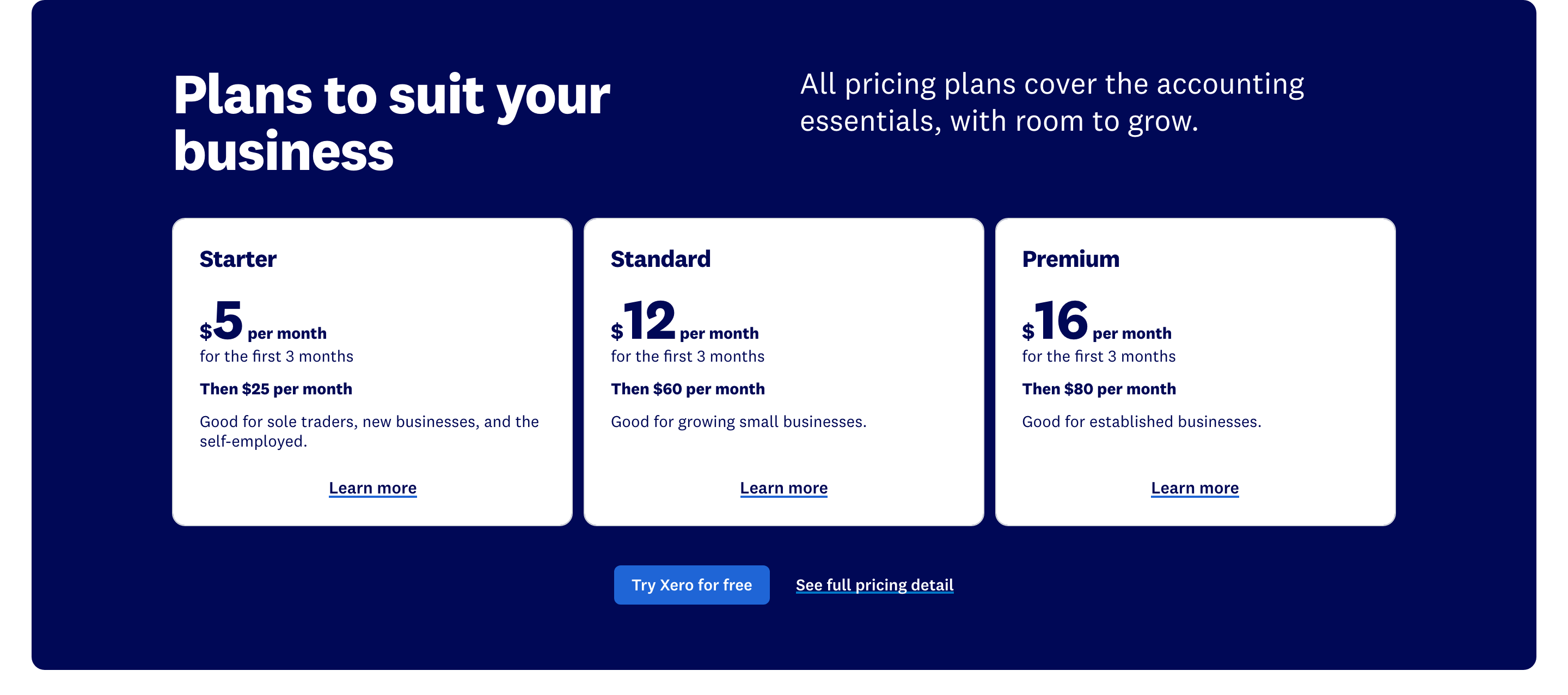 “Plans to suit your business”Xero source page
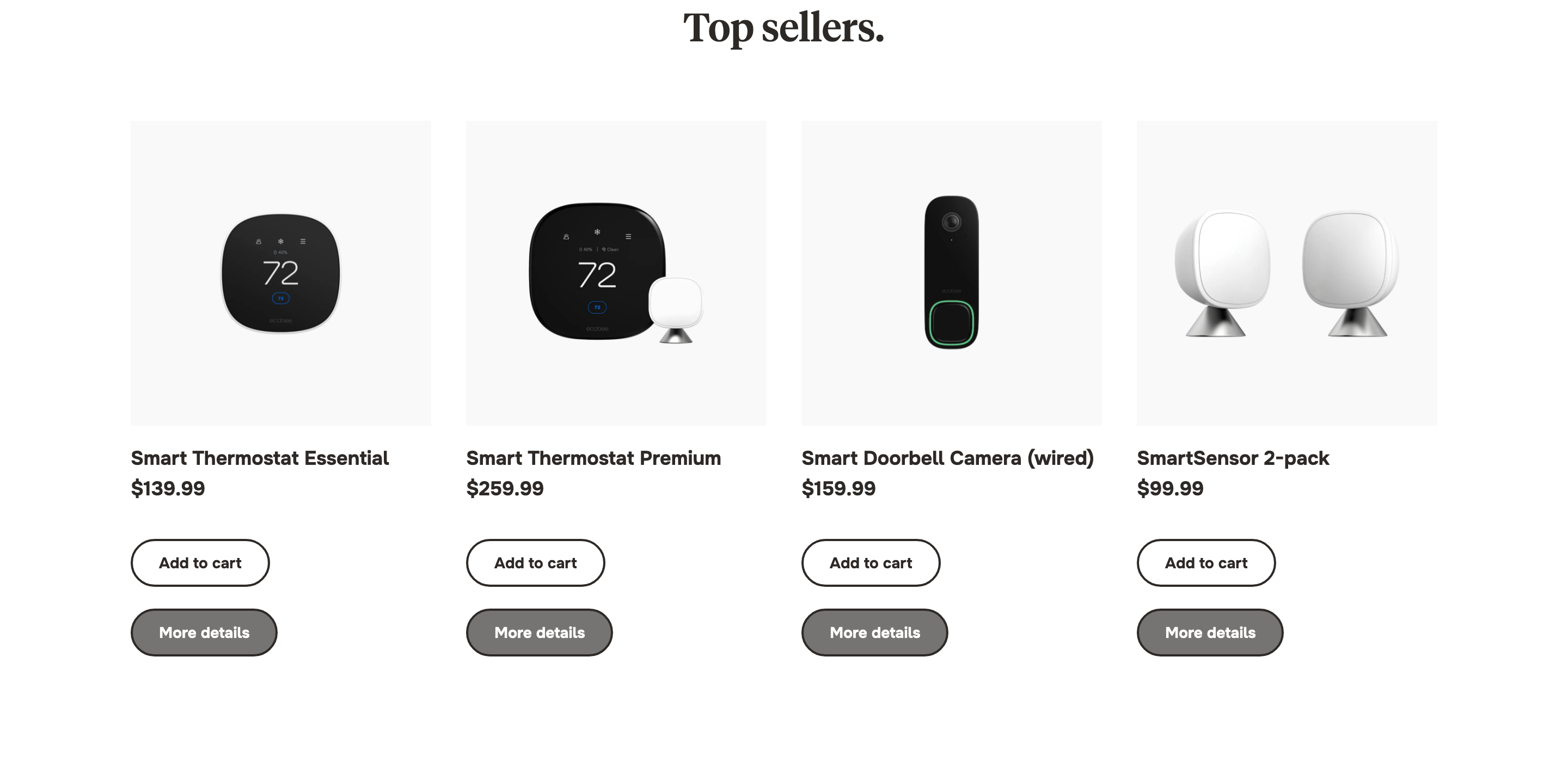 “Top sellers.”Ecobee source page
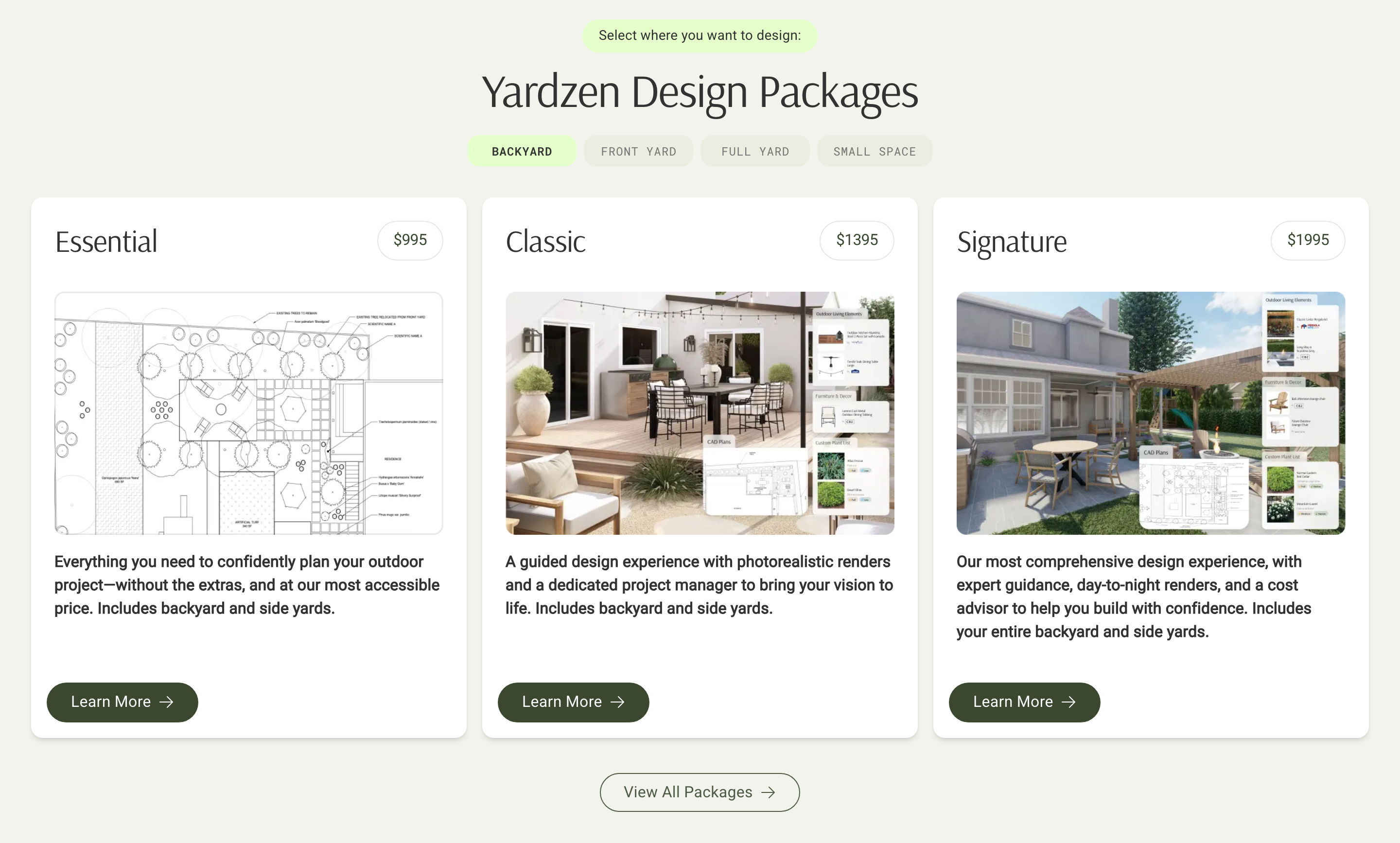 “Yardzen Design Packages”Yardzen source page
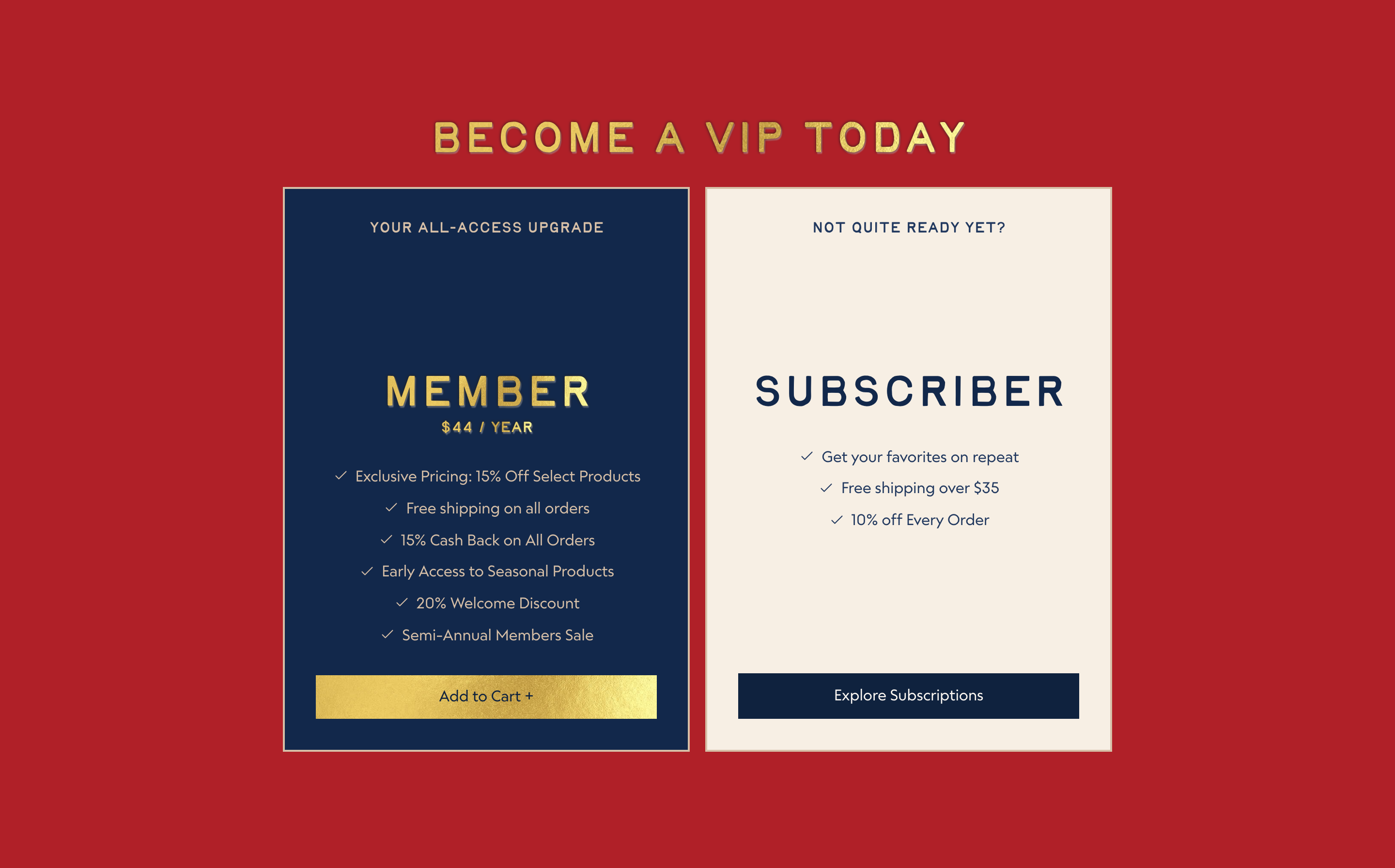 “BECOME A VIP TODAY”La Colombe source page
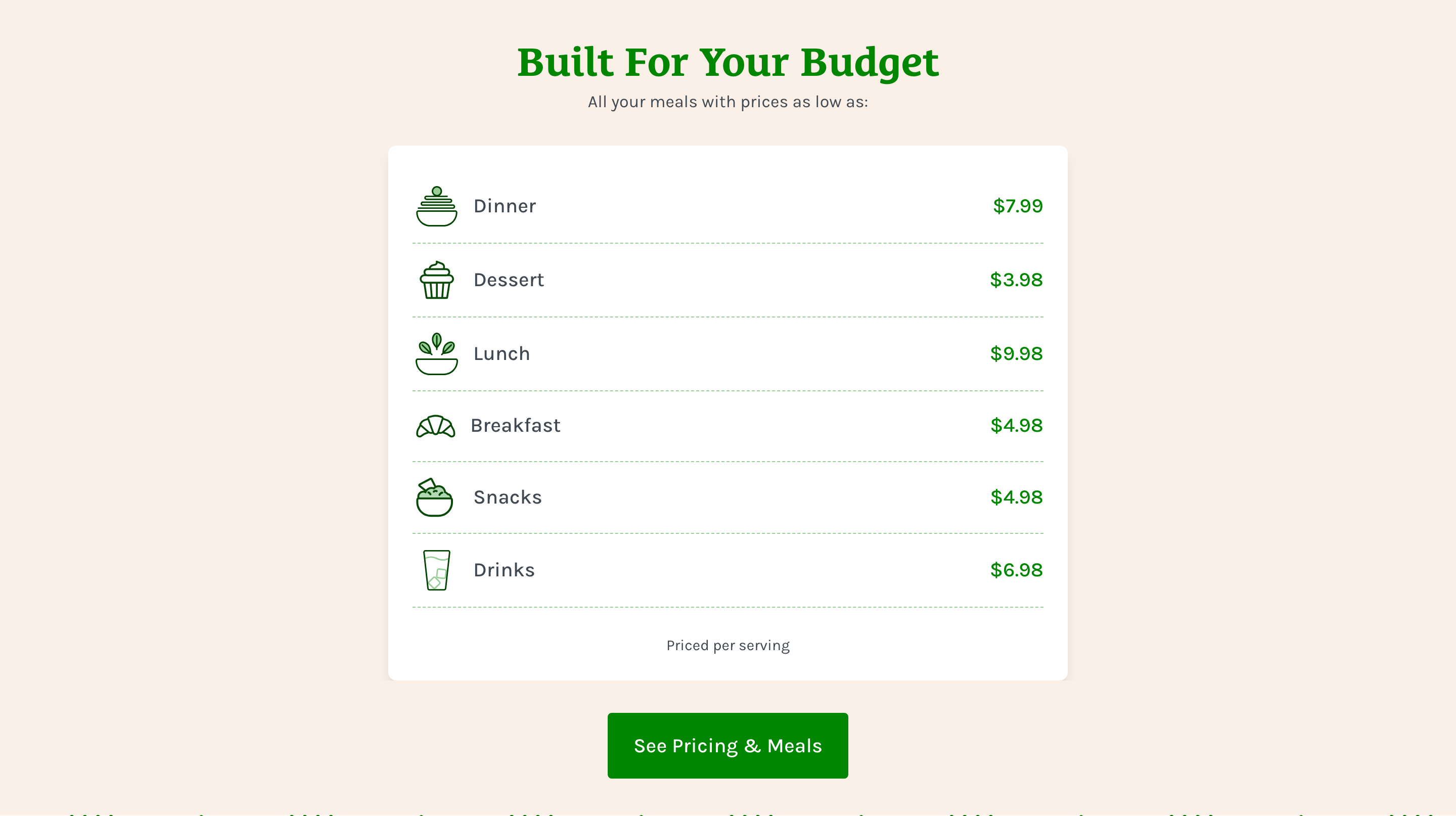 “Built For Your Budget”Home Chef source page
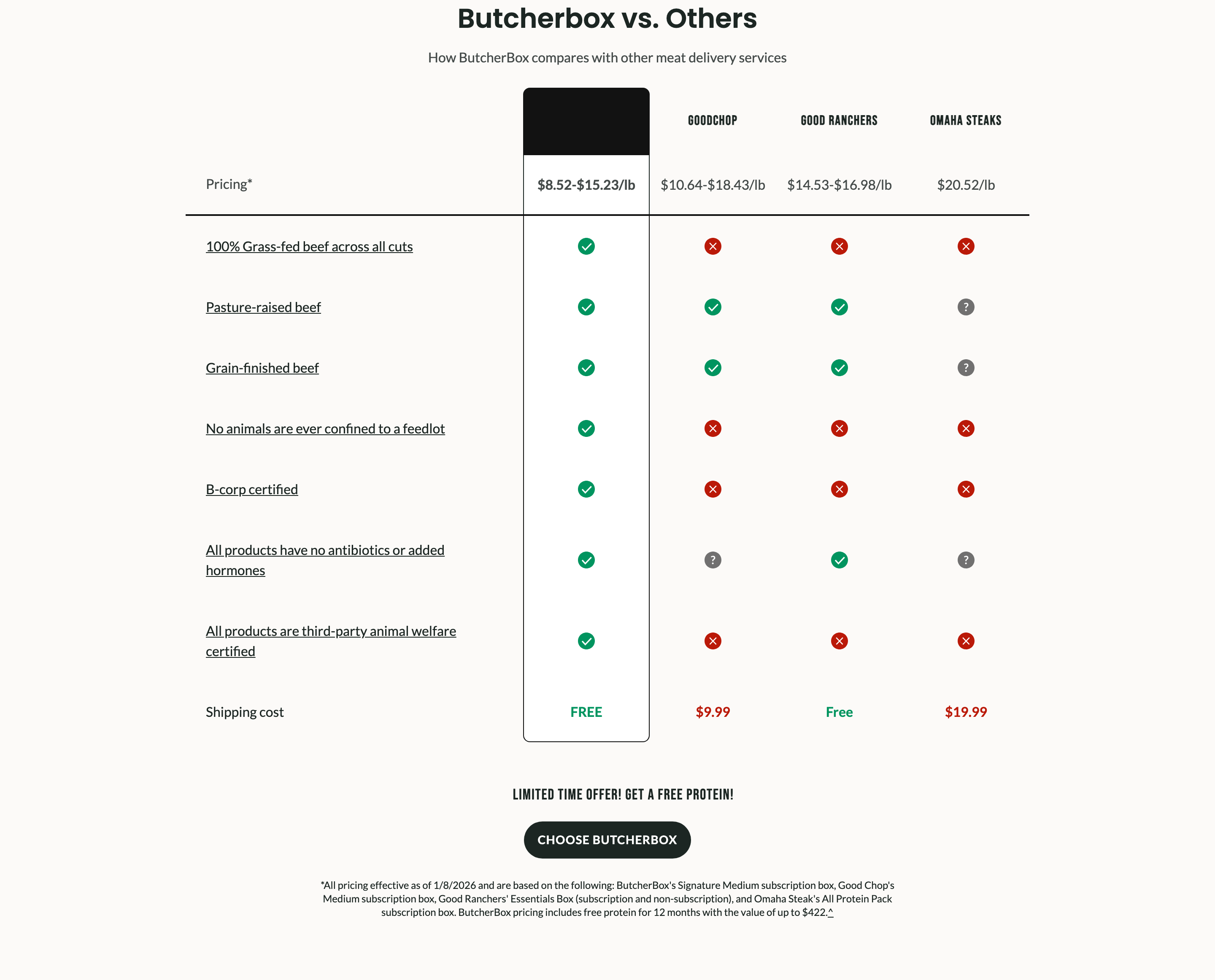 “Butcherbox vs. Others”Butcher Box source page
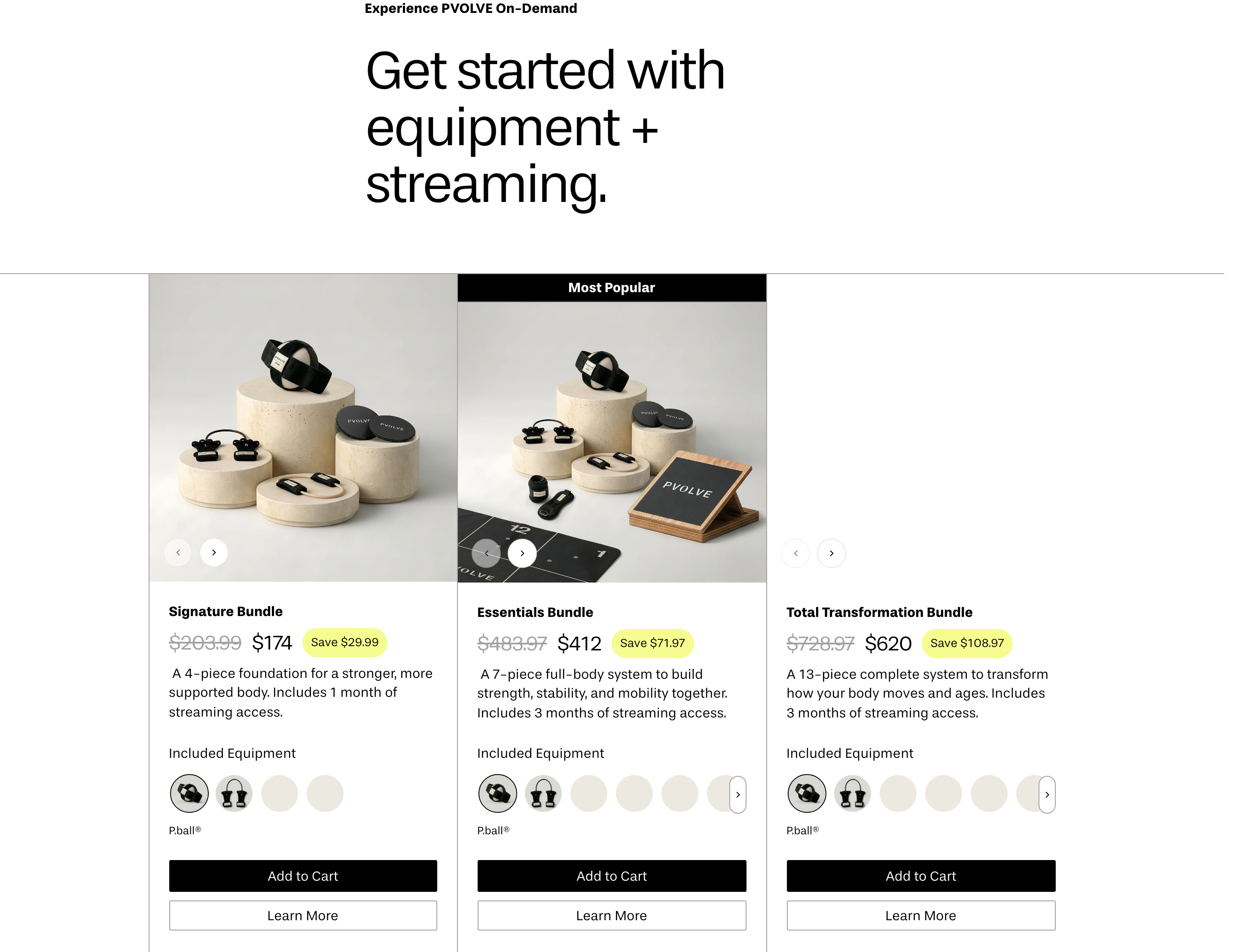 “Get started with equipment + streaming.”Pvolve source page
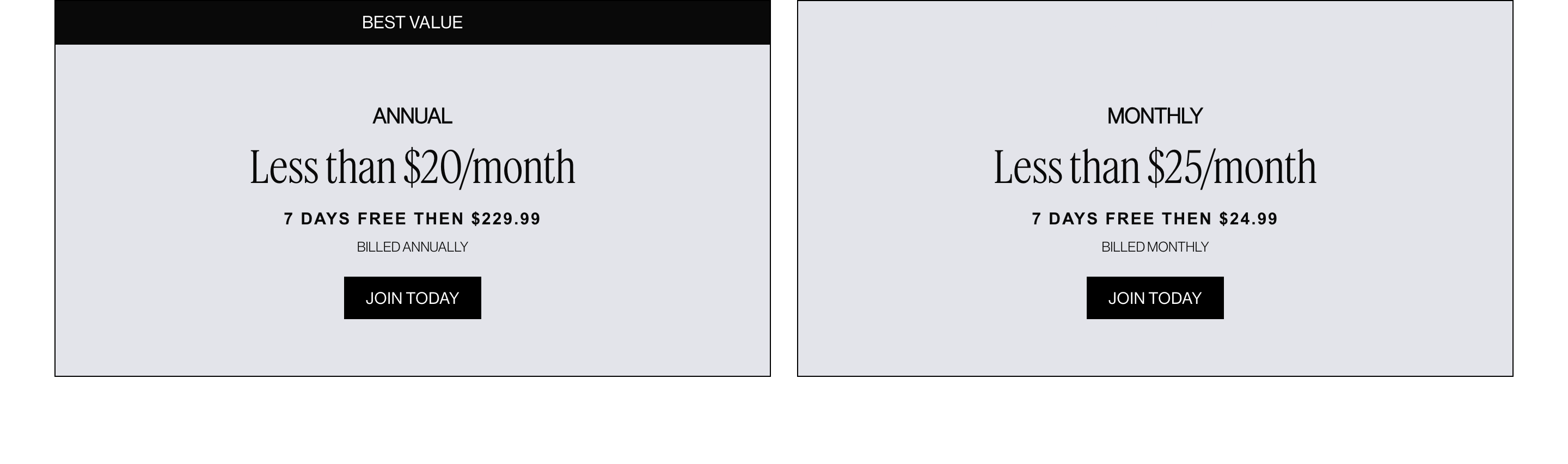 “Less than $20/month”Sculpt Society source page
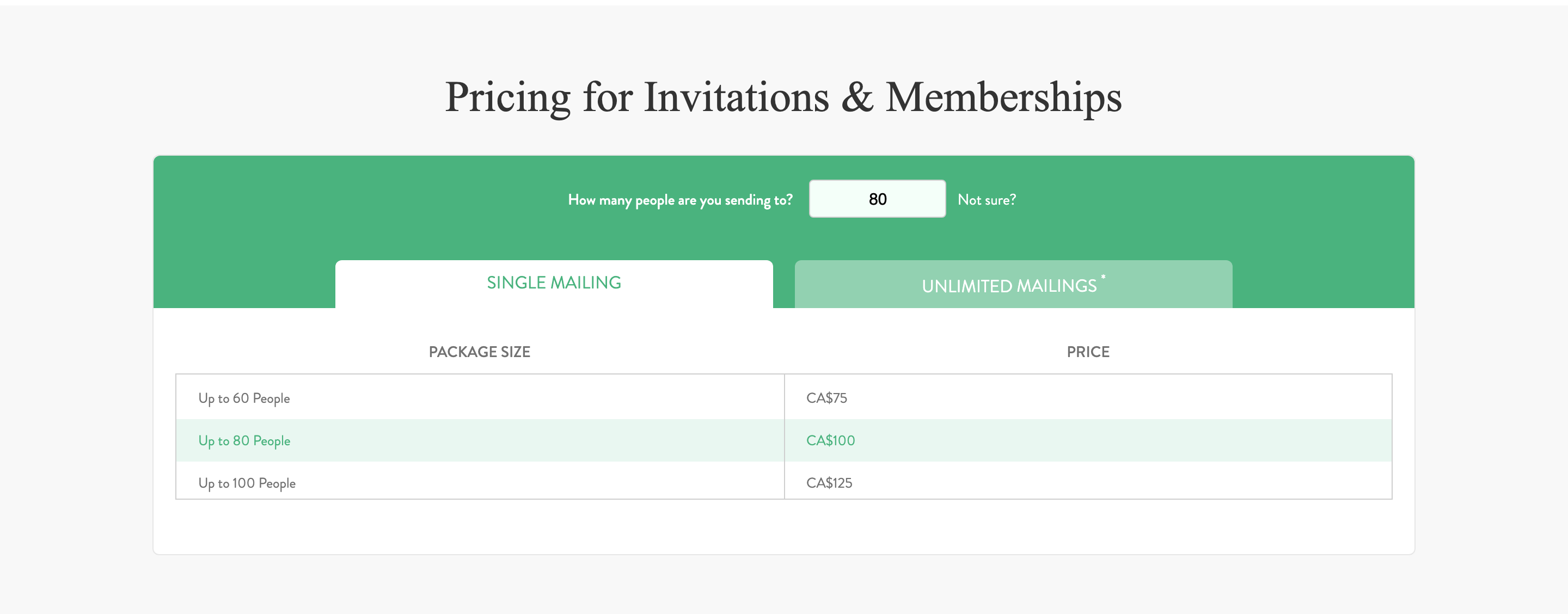 “Pricing for Invitations & Memberships”Greenvelope source page
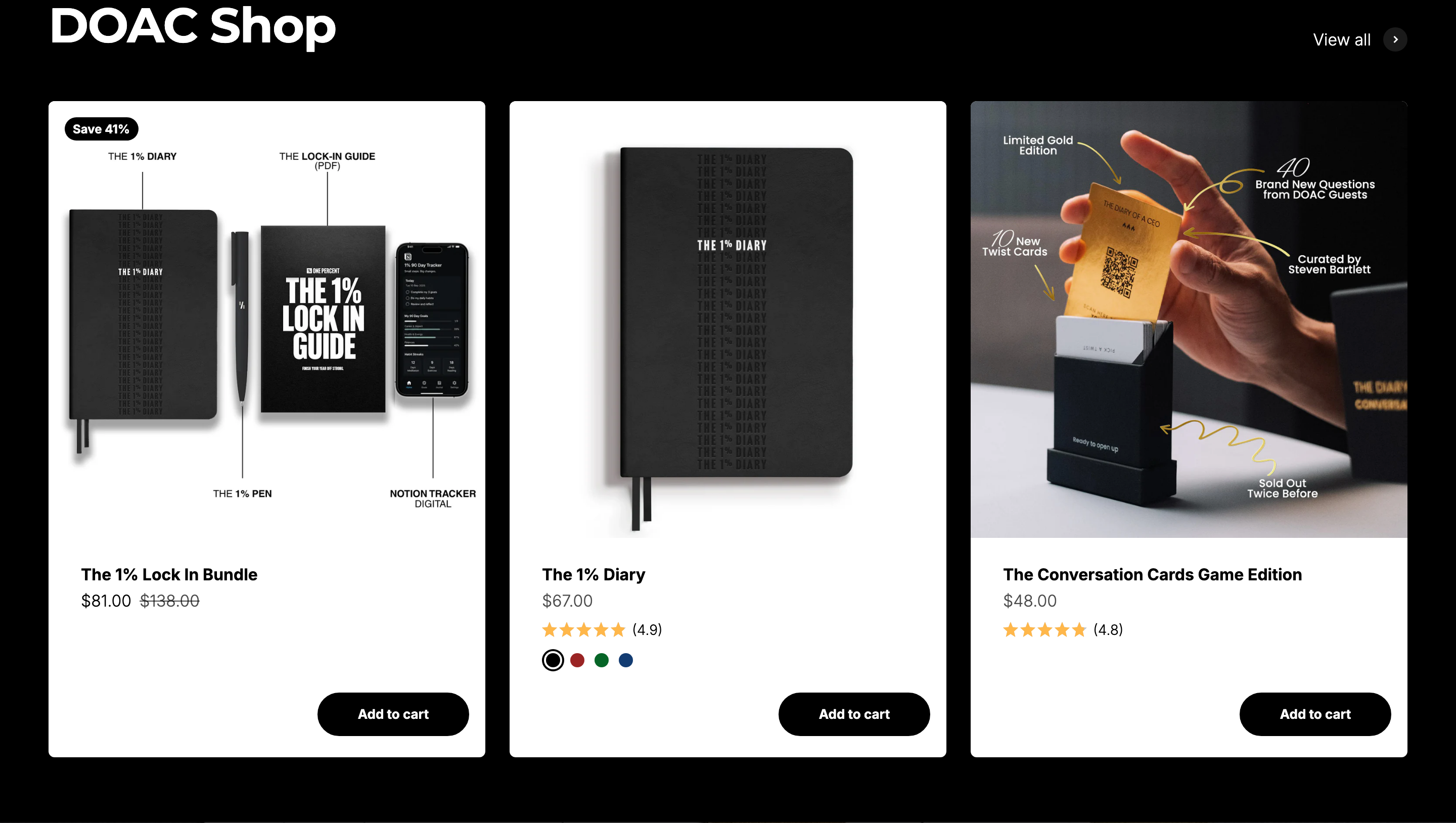 Pricing sectionDiary of a CEO source page
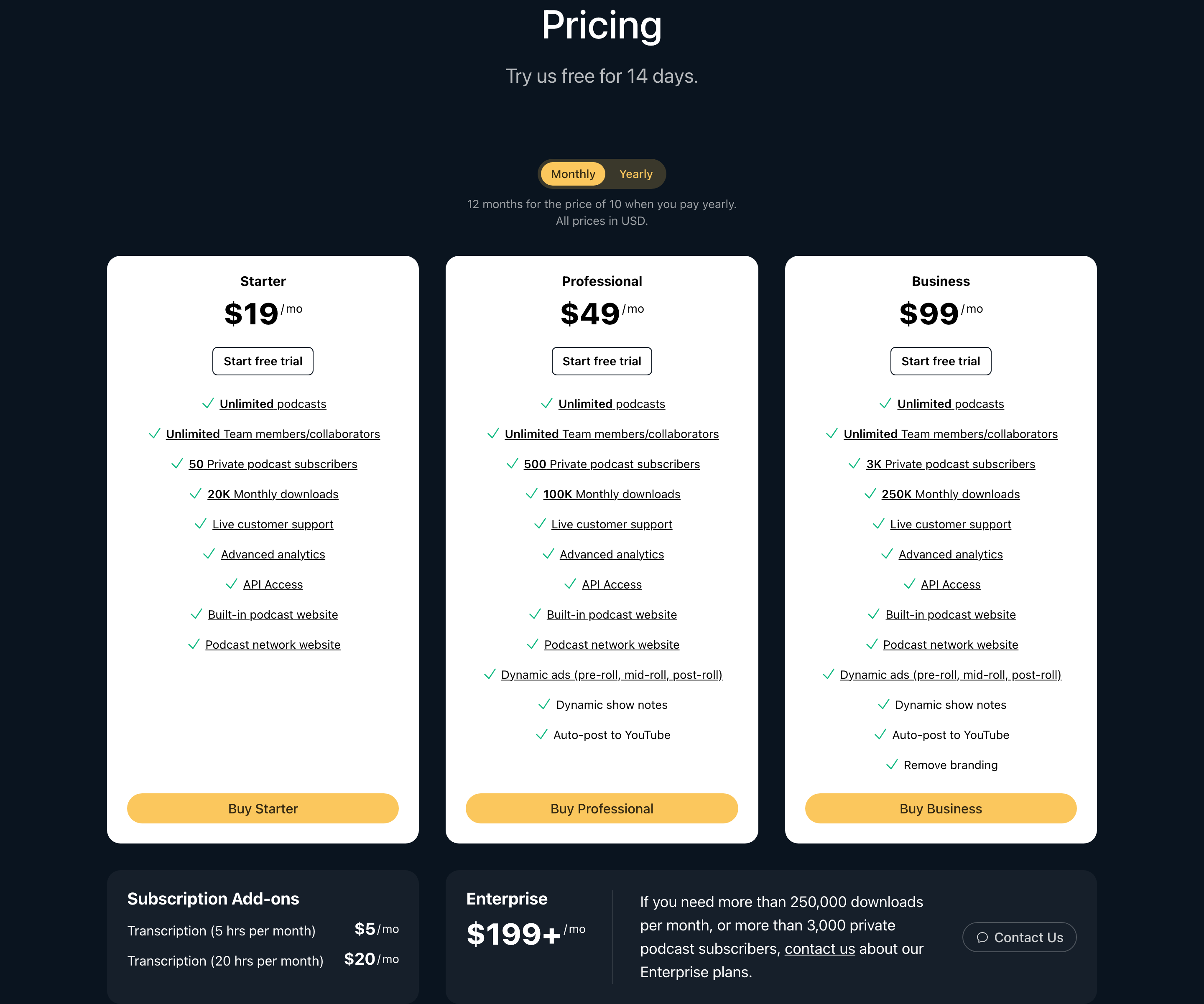 “Subscription Add-ons”Transistor source page
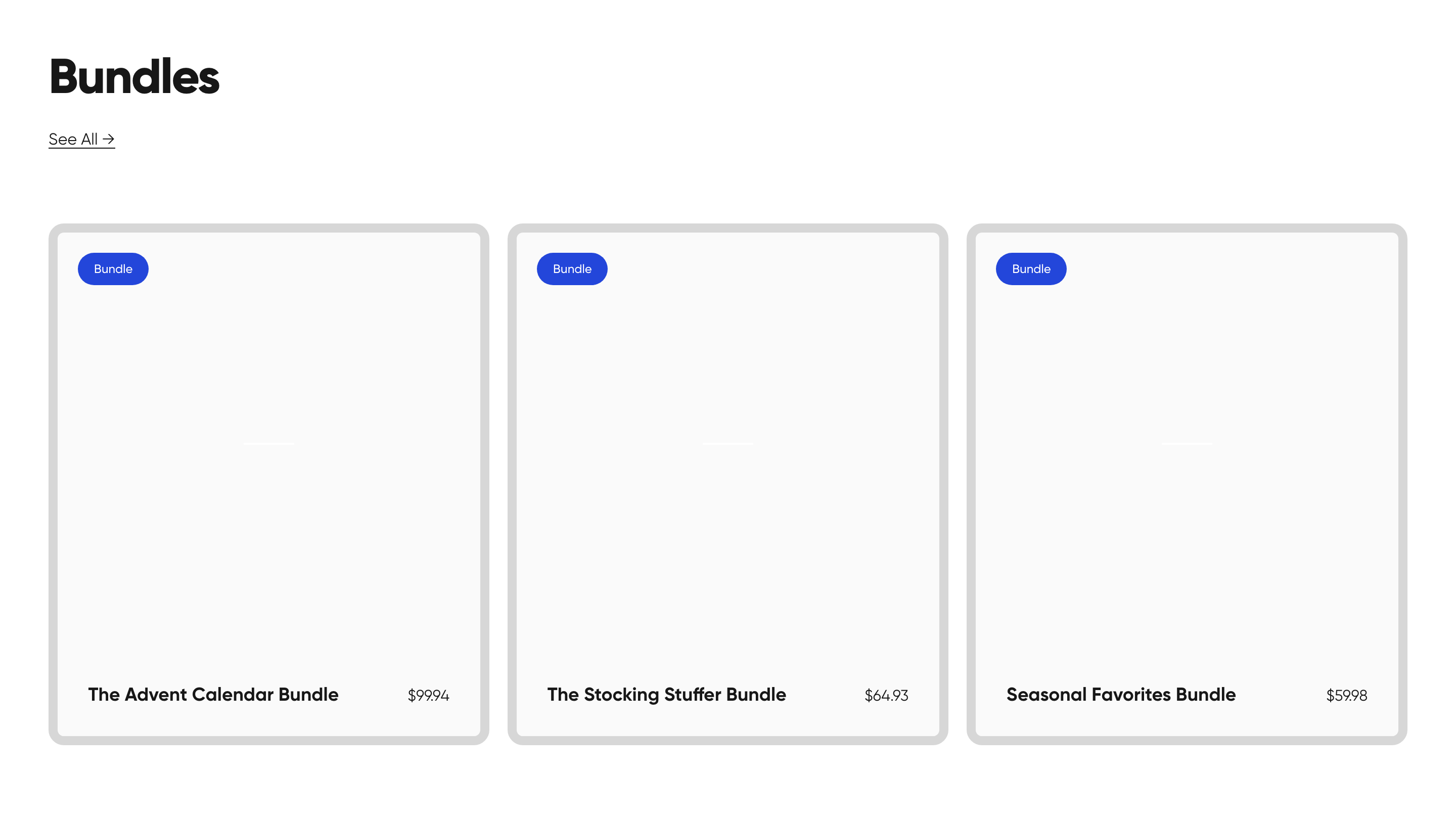 Pricing sectionMagna-Tiles source page
 “BUILD YOUR PLAN”Firsty source page
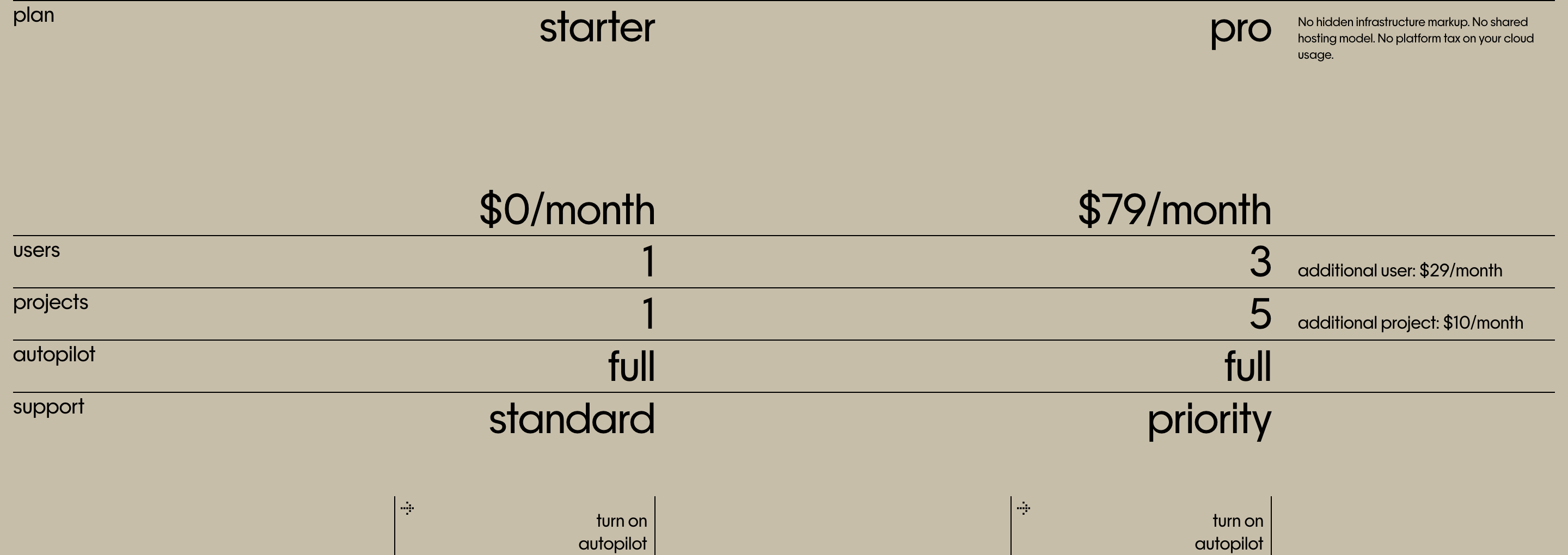 Pricing sectionmonolayer source page
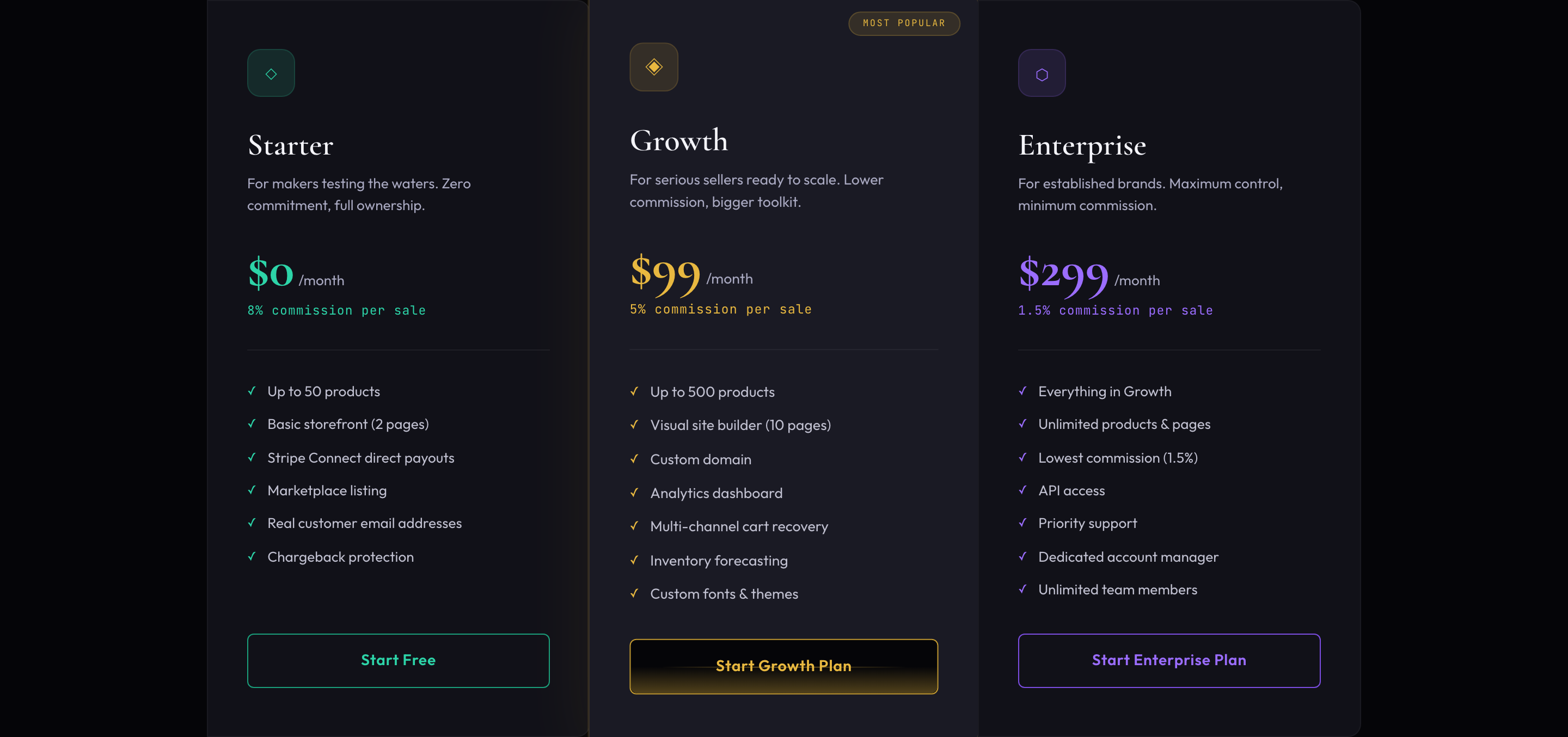 Pricing sectionAlkemy Market source page
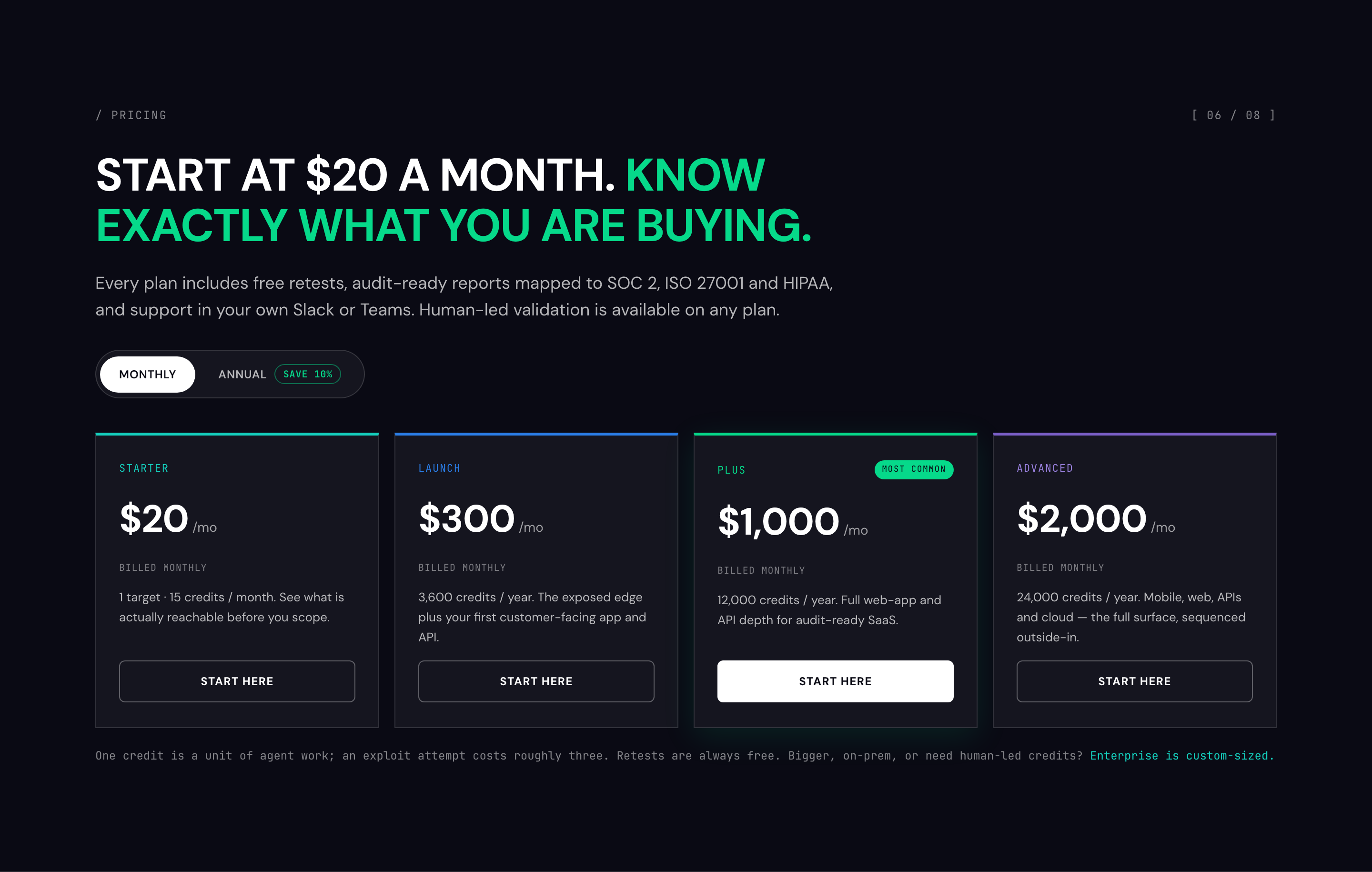 “START AT $20 A MONTH. KNOW EXACTLY WHAT YOU ARE BUYING.”Penti source page
Plan comparison across the captured pricing pages
A compact comparison of the plan structures visible in each capture. The flags describe the captured section, not a current offer: check the source page for today's price and terms.
14 of 34 captures show a free tier or trial (41%), 7 show a monthly and annual toggle (21%), and 5 show an enterprise or custom route (15%).
How the strongest SaaS pricing pages are built
The patterns below repeat across the captured sections. They describe layout and decision order, not any product's current price.
Plan comparison: give every tier a job
A comparison table only helps after each plan has a clear audience. The strongest pages name the buyer in the plan card, mark one recommended route, and keep the cheaper or self-serve option visible. Compare the full set in the pricing section catalog.
Annual and monthly toggles: show the amount charged
A billing switch should label the selected period, show the amount actually charged and make the annual saving understandable. Showing an annual monthly-equivalent without the yearly total leaves the visitor doing arithmetic. 7 of the 34 captures show both periods.
Feature limits: put the unit beside the price
Seats, usage, credits and transaction limits belong next to the number a buyer is comparing. Overage rules and what happens at a limit should be on the page, with the detailed feature rows in the comparison table below the cards.
Trust: answer objections after the plan choice
Security details, migration help, customer proof and focused FAQs do the work after the first decision. Keep trust signals close to the action they support rather than stacking every badge above the plans. The reviewed pricing page examples show where those blocks sit.
CTA placement: one next step per plan
Each plan card needs one primary action, such as start free, buy now or talk to sales. Repeat the recommended route after the comparison table and give enterprise buyers a separate sales path. For more action patterns, see the landing page CTA examples.
Reviewed full pricing pages
These sites have a hand-reviewed pricing page in the library, so you can inspect the whole page rather than one section. The reviewed pricing page hub explains the patterns they share.
- Linear pricing page /pricing
- Mercury pricing page /pricing
- Vercel pricing page /pricing
- Ramp pricing page /pricing
- Stripe pricing page /en-ca/pricing
- Cursor pricing page /pricing
- Framer pricing page /pricing
- Notion pricing page /pricing
- Supabase pricing page /pricing
- ElevenLabs pricing page /pricing
- Granola pricing page /pricing
- v0 pricing page /pricing
- GitHub pricing page /pricing
- Railway pricing page /pricing
- Resend pricing page /pricing
- Clerk pricing page /pricing
- PostHog pricing page /pricing
- Figma pricing page /pricing/
- Loom pricing page /pricing
- Cal.com pricing page /pricing
- Gumroad pricing page /pricing
- beehiiv pricing page /pricing
- Ghost pricing page /pricing/
- Brex pricing page /pricing
- Wise pricing page /ca/pricing/
- Deel pricing page /pricing/
- Gusto pricing page /product/pricing
SaaS pricing page examples: FAQ
What is a SaaS pricing page?
A SaaS pricing page is the page where a software product explains its plans, prices and billing units, then sends the visitor to start a trial, buy a plan or talk to sales. The clearest examples answer who each plan is for before listing every feature.
What should a SaaS pricing page include?
Plan names, the price and its billing unit, the limits included in each tier, one primary action per plan, and a route for custom or enterprise needs. A comparison table and focused FAQs answer the questions that do not fit in the plan cards.
Should a SaaS pricing page show monthly and annual billing?
Show both when the billing period changes the decision. Label the selected state, state the amount actually charged and make the annual saving understandable. The captured pages below show how real products present that choice.
How do SaaS pricing pages handle feature limits?
The strongest pages put seats, usage, credits or transaction limits next to the price, then use a comparison table for the detail. Overage rules and what happens at a limit belong on the page, not only in the terms.
Where should the call to action go on a pricing page?
Put one primary action on each plan card, repeat the recommended route after the comparison table, and give enterprise buyers a separate talk-to-sales path. The action should name the next step, such as start free, buy now or book a demo.
Are these pricing examples current prices?
No. Each example is a captured pricing section reviewed for its visible layout and plan structure, not a verified current price or a purchase recommendation. Prices, currencies and allowances change, so check the source site before making a buying decision.