
Cc Arcade
Games above the Claude Code prompt (snake, Tetris, 2048, Minesweeper, Flappy, Pong, typing test, Space Invaders, Doom) plus a pet that grows as Claude tests, commits and edits. Clones of the genre, not affiliated with or endorsed by Tetris Holding, Taito, Atari or id Software. Needs an interactive terminal.
Before you use this component
This is a third-party source bundle, not an installation into your account. UI Discovery has checked the available redistribution license evidence; runtime behavior has not been tested. Review all files, use a disposable project first, and do not enable scripts or hooks until you understand their permissions.
Some integrations require separately installed software, API keys or paid services. Credentials and subscriptions are not included. These are Claude Code resources; other clients may require adaptation.
Extract the ZIP into a temporary folder, inspect its entry file and supporting resources, then follow the original instructions. Do not overwrite an existing project configuration blindly. Keep the bundled license and attribution notices.
- Source publisher
- Claude Code Templates
- Creator supplied by source
- Seza Akgün
- Pinned source version
- a344359459263d73d8948651c789244093c02e4e
- License evidence
- cli-tool/components/mods/games/cc-arcade/LICENSE
Source preview
cli-tool/components/mods/games/cc-arcade/README.md
# cc-arcade > Vendored from [sezaakgun/cc-arcade](https://github.com/sezaakgun/cc-arcade) (MIT, by Seza Akgün) as a catalog example of a multi-file mod. Install with `npx claude-code-templates@latest --mod games/cc-arcade`, or from the author's marketplace as described below. Report game issues upstream. Local change: `$.clock.now()` is awaited (it resolves to a number in the 2.1.271 declarations; upstream used it synchronously). Games above the Claude Code prompt, for the minutes Claude spends working. Run `/arcade`, pick a game, and play it right above the prompt while Claude works on your request. When Claude finishes the turn, the game pauses and its status line says so, so you never miss a reply. A pet grows alongside, fed by the tests Claude passes, the commits it makes and the files it edits. Playing costs no tokens: the plugin answers every click and command itself, without asking the model. 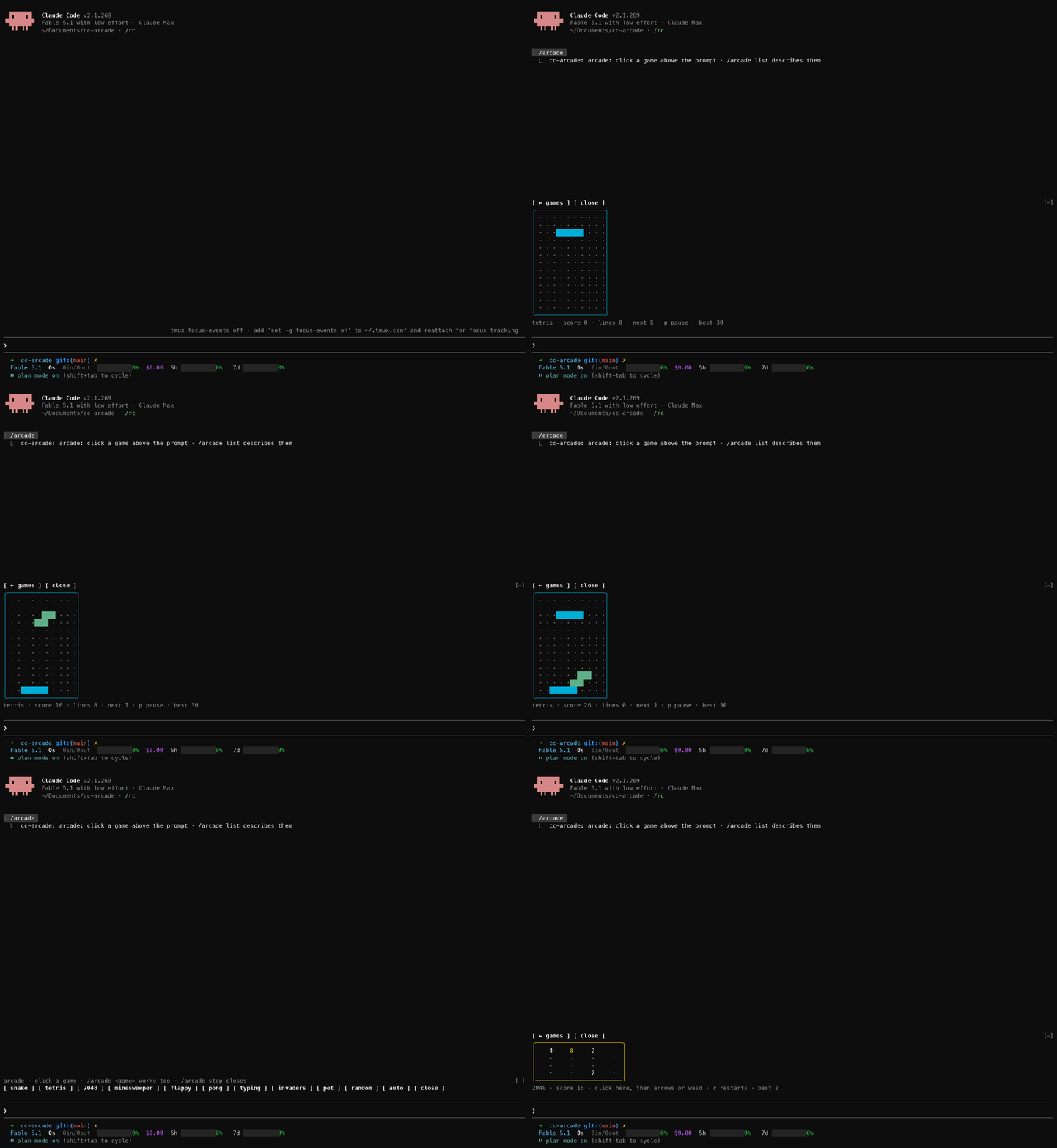 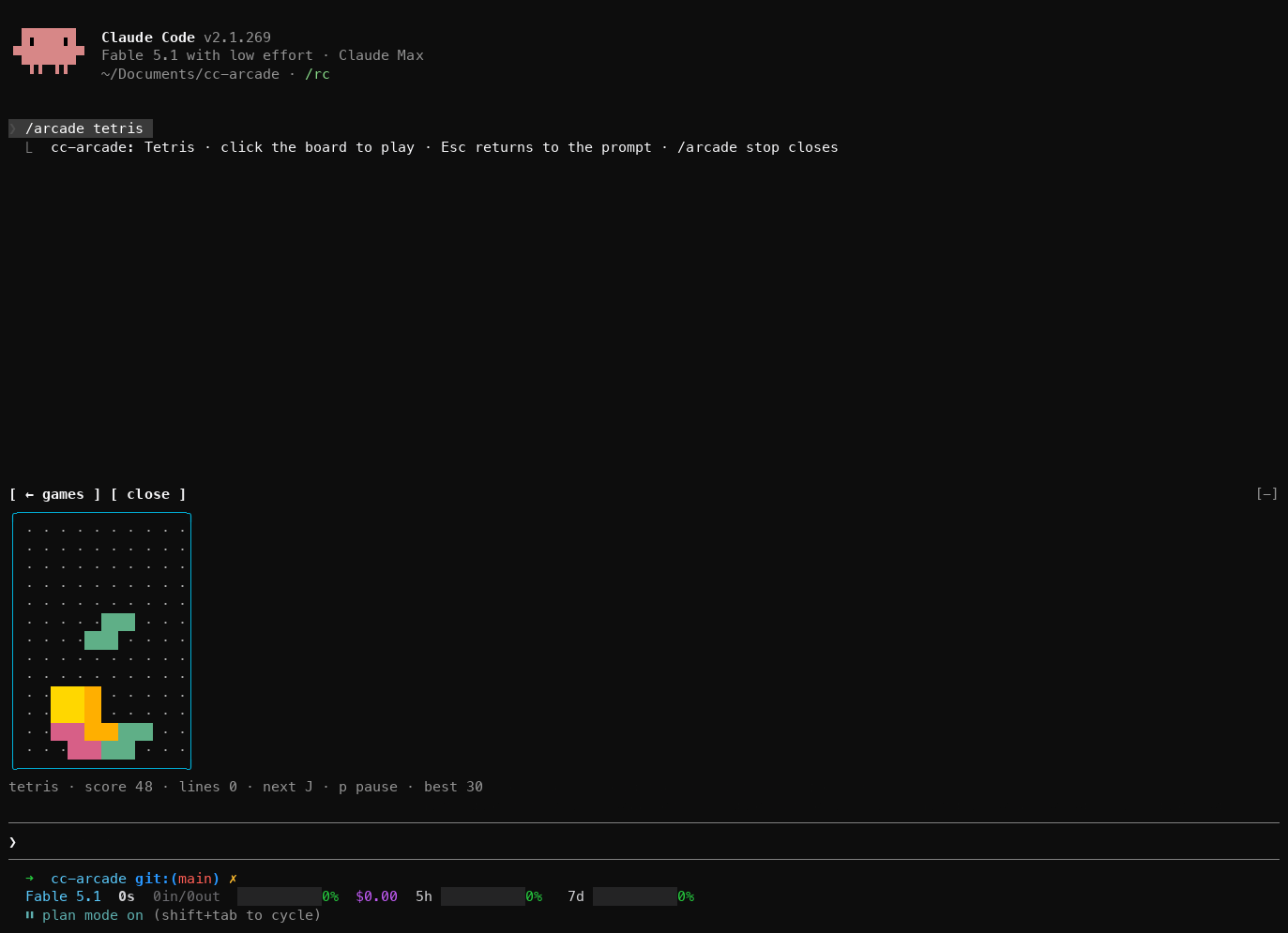 Nine games and a pet: snake, Tetris, and Doom — a first-person corridor shooter raycast into half blocks, with four floors, three monsters and three weapons — plus 2048, Minesweeper, Flappy, Pong against the computer, a typing test and Space Invaders. Each board has one status line underneath with the score, the controls that matter now and your best score. The plugin is built on Claude Code **function hooks**: TypeScript that runs inside Claude Code's own process, instead of shell-command hooks. They are on by default from Claude Code 2.1.287. ## Requirements - Claude Code 2.1.287 or later (function hooks are on by default from that version). - An interactive terminal session. Nothing draws in `claude -p`, the desktop app or mobile. - A terminal that reports the mouse. One click is what gives a board the keyboard, and the picker buttons, doom, Minesweeper, Flappy, Pong and Space Invaders use the mouse too. - A terminal font with box-drawing and block characters. Modern terminals are fine; the old Windows console draws them as boxes. ## Quick start 1. Install from GitHub. The repo is its own marketplace: ```sh claude plugin marketplace add sezaakgun/cc-arcade claude plugin install cc-arcade@cc-arcade ``` 2. Start `claude` and run `/arcade`. A row of buttons appears above the prompt: one per game, plus `pet`, `random`, `auto` and `close`. 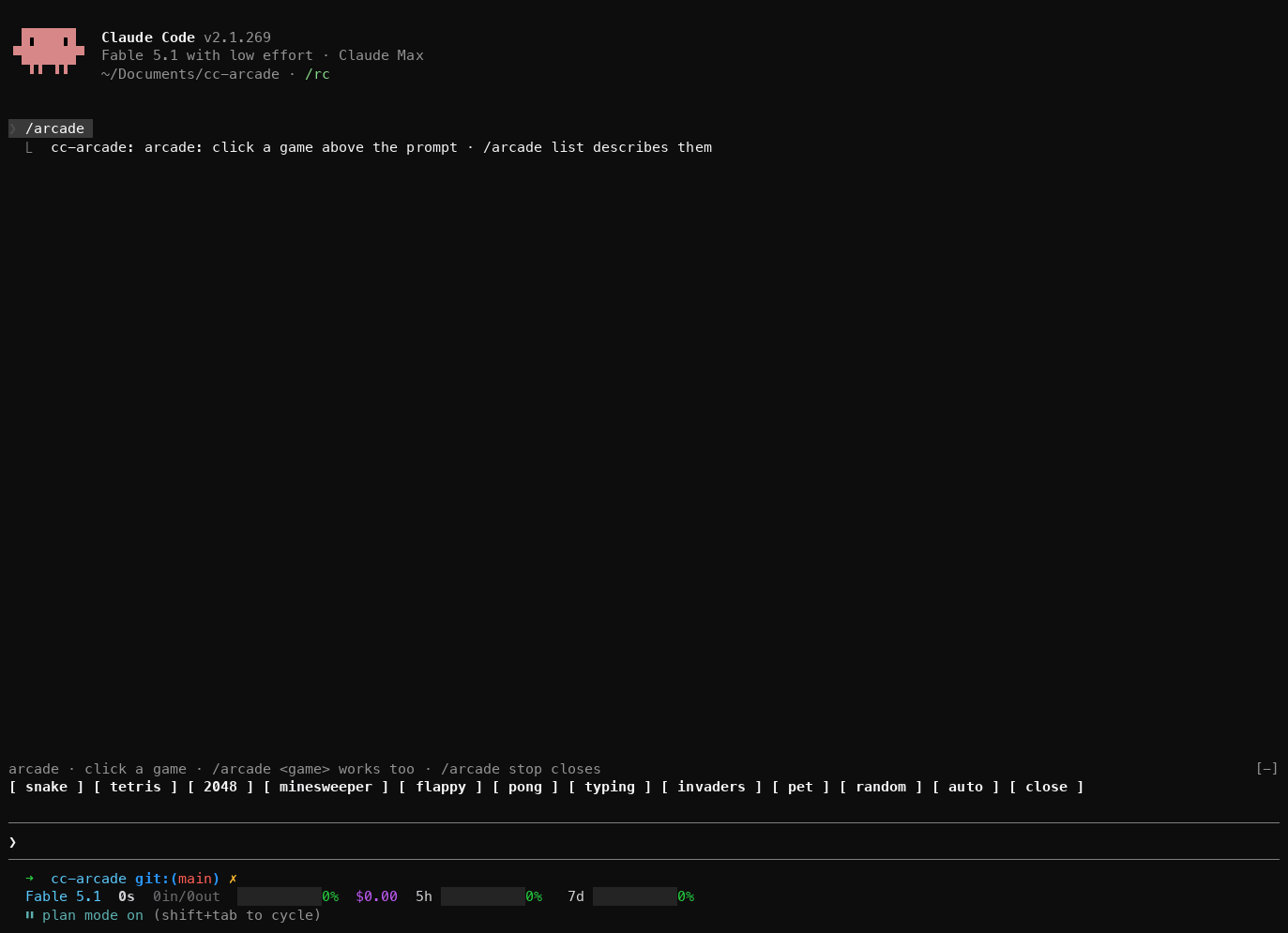 3. Click `snake`. The board appears in place of the buttons. 4. **Click the board**, then press an arrow key. The click gives the game the keyboard; until then your keys go to the prompt. 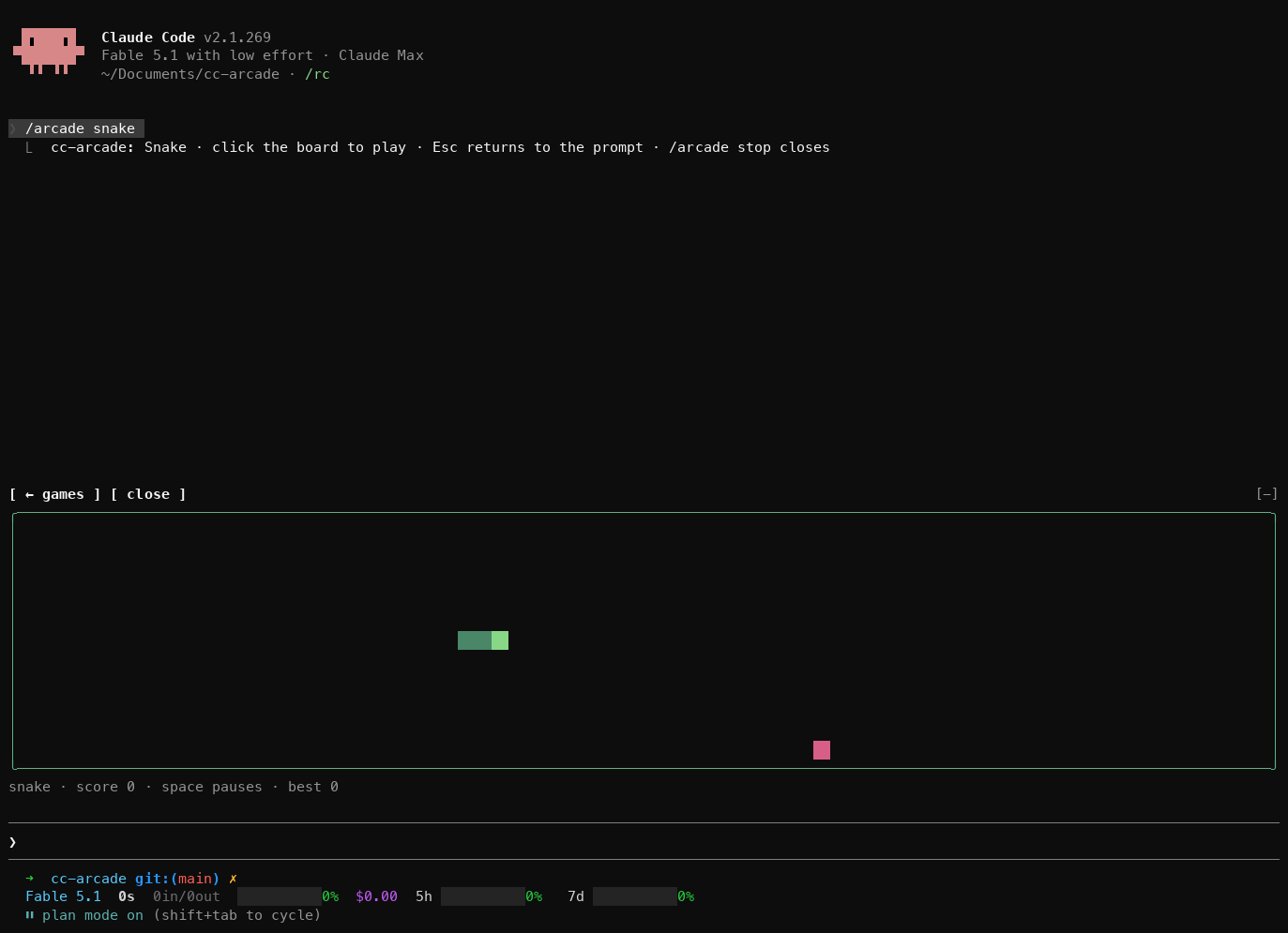 5. Press **Esc** to give the keyboard back to the prompt. Click `← games` above the board to go back to the list, or `close` to close the arcade. If `/arcade` is an unknown command, see [Troubleshooting](#troubleshooting). To remove it: ```sh claude plugin uninstall cc-arcade claude plugin marketplace remove cc-arcade ``` To try it without installing, or to hack on it, clone and load it for one session: ```sh git clone https://github.com/sezaakgun/cc-arcade cd cc-arcade claude --plugin-dir . ``` The repo's own `.claude/settings.json` sets the variable for sessions started inside the folder, which also loads any other installed plugin's hooks module there. ## Use - **Pick a game**: run `/arcade` and click one, or name it directly: `/arcade tetris`. - **Let it choose**: `/arcade random` starts any game except the pet and the one you just played. `/arcade auto` picks one for the moment; see [Auto](#auto). - **See the games and your best scores**: `/arcade list`. - **Back to the list**: click `← games` above the board. The picker comes back and the game you left stops. - **Switch games**: pick another from the list, or run `/arcade <game>`. One game is open at a time. - **Close**: click `close` above the board or in the picker, or run `/arcade stop`. - **Colour-blind mode**: `/arcade colorblind` toggles a palette and pattern for doom that does not lean on red against green, and remembers the setting. See [Doom](#colour-blind-mode). Every form of `/arcade` runs straight away, even while Claude is working. ## Games WASD mirrors the arrows in every game that uses them, except doom, where `A` and `D` strafe and the arrows turn. - **`snake`**: arrows steer, Space or `p` pauses, `r` restarts. Eat the red food, keep off the walls and your own tail. - **`tetris`**: ← → move, ↑ or `x` rotates, ↓ drops one row, Space drops to the bottom, `p` pauses, `r` restarts. The pieces fall faster every ten lines. - **`doom`**: a first-person corridor shooter with four floors, three monsters and three weapons. It has [its own section](#doom). - **`2048`**: arrows slide every tile, `r` restarts. Equal tiles merge; the game ends when no slide changes anything. - **`minesweeper`**: click a cell to open it, right-click to flag it. Without a mouse: arrows move the blue cursor, Space or Enter opens, `f` flags. `r` deals a new board. The first click never hits a mine. - **`flappy`**: Space, ↑, `w`, Enter or a click flaps. `p` pauses, `r` restarts. Touching the ceiling only stops you; the floor and the pipes end the round. - **`pong`**: ↑ ↓, or move the mouse over the board, to place your paddle on the left. Space pauses, `r` restarts. First to 5 wins. - **`typing`**: type the line shown. Correct characters turn green; a wrong one shows on red until you backspace it. Tab skips to another line, Enter starts the next one after a finished line. Only keys the terminal delivers count, so pasting is no shortcut. - **`invaders`**: ← → or the mouse move the ship, Space, ↑ or a click fires. `p` pauses, `r` restarts. One shot at a time, three lives, and each cleared wave starts a row lower, up to three rows, and steps faster. | | | |---|---| | 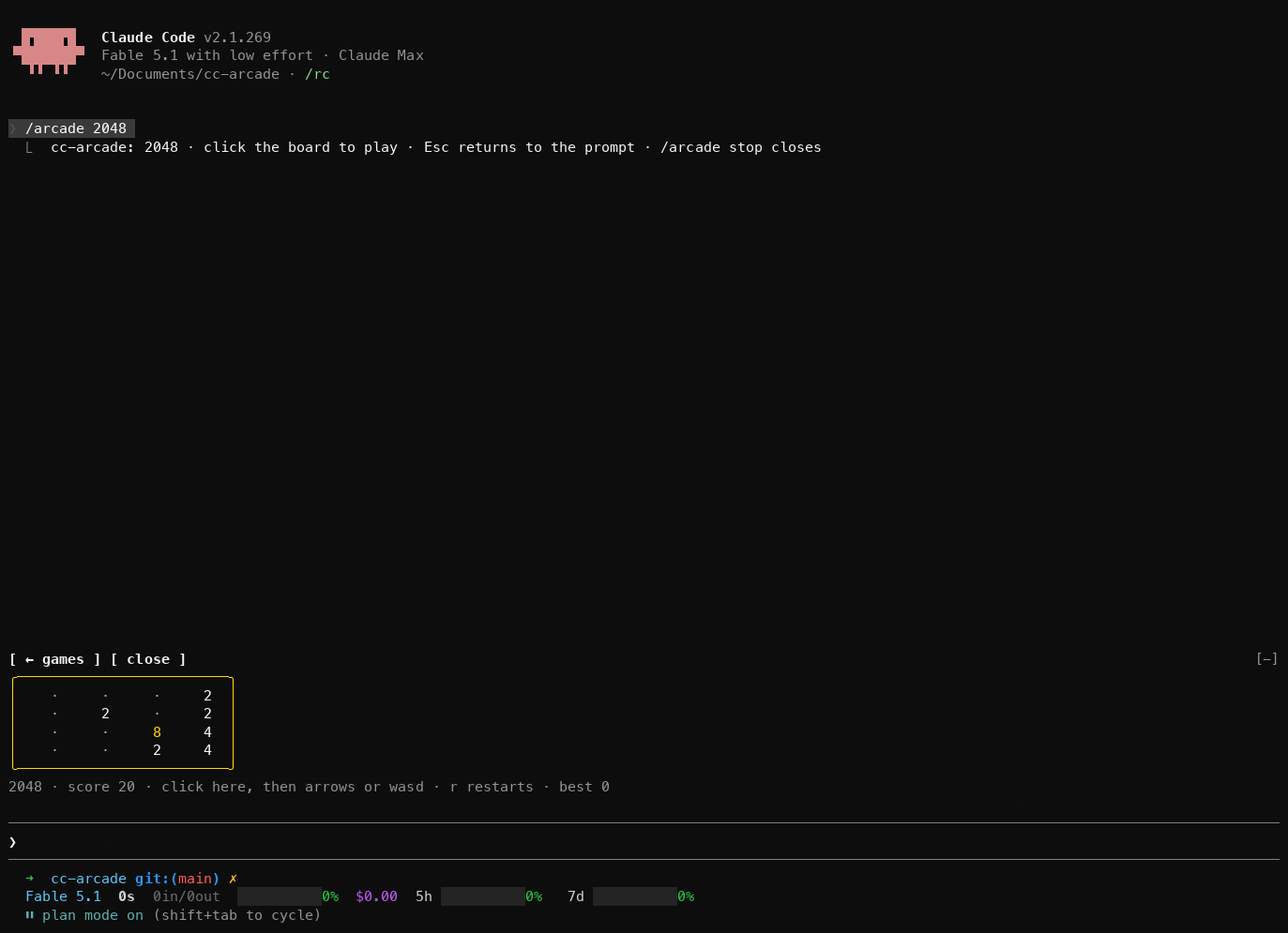 | 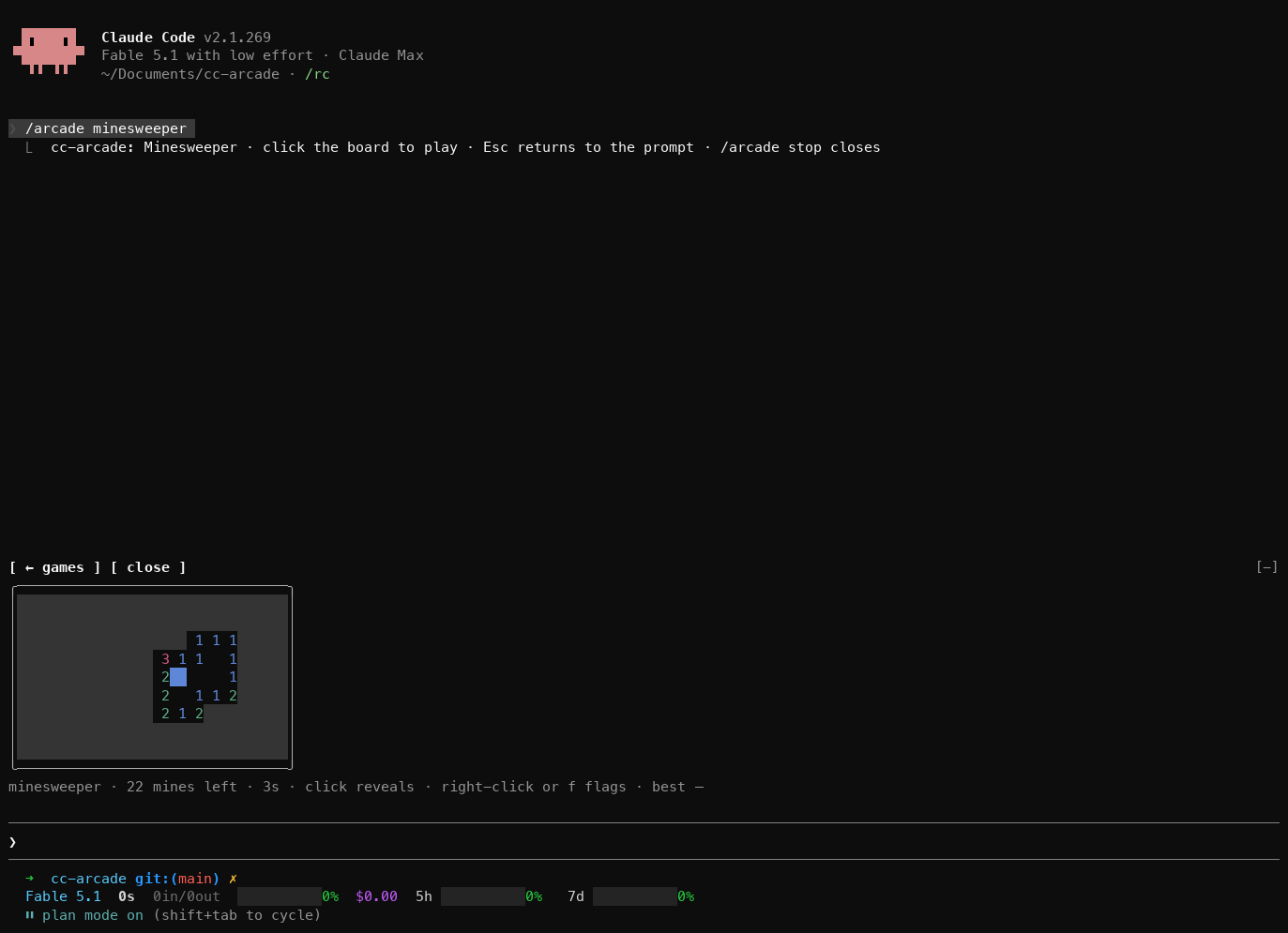 | | 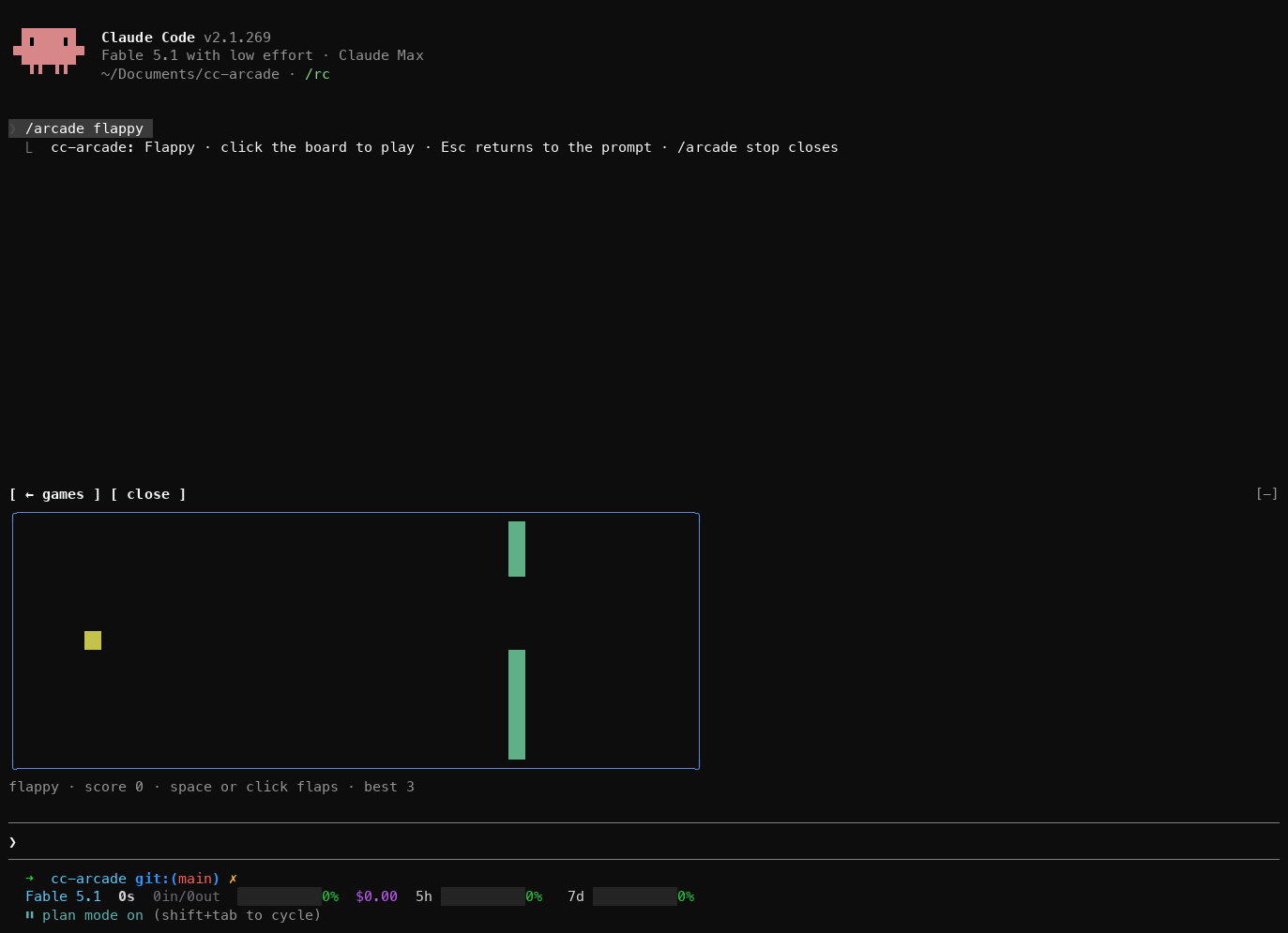 | 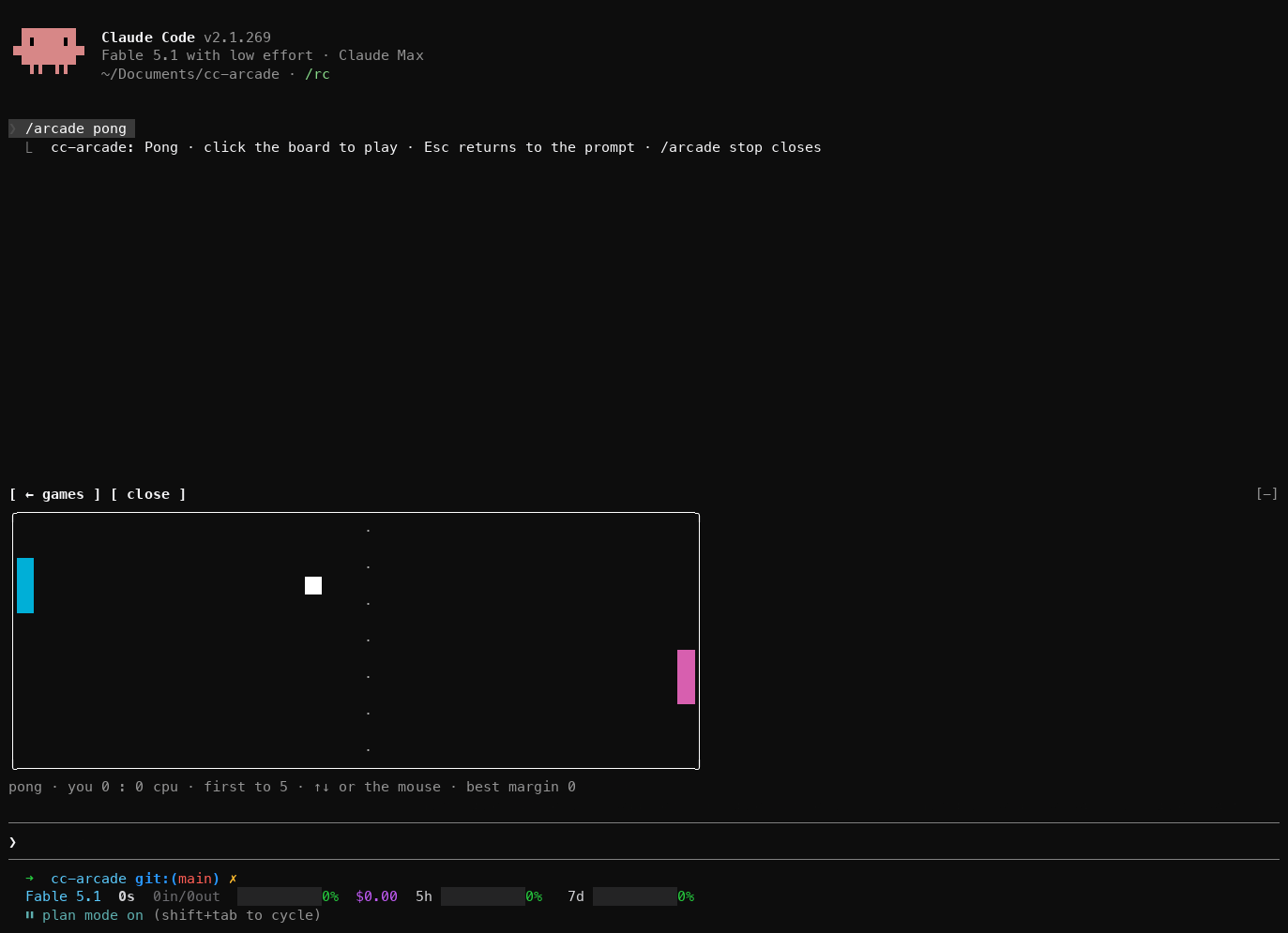 | | 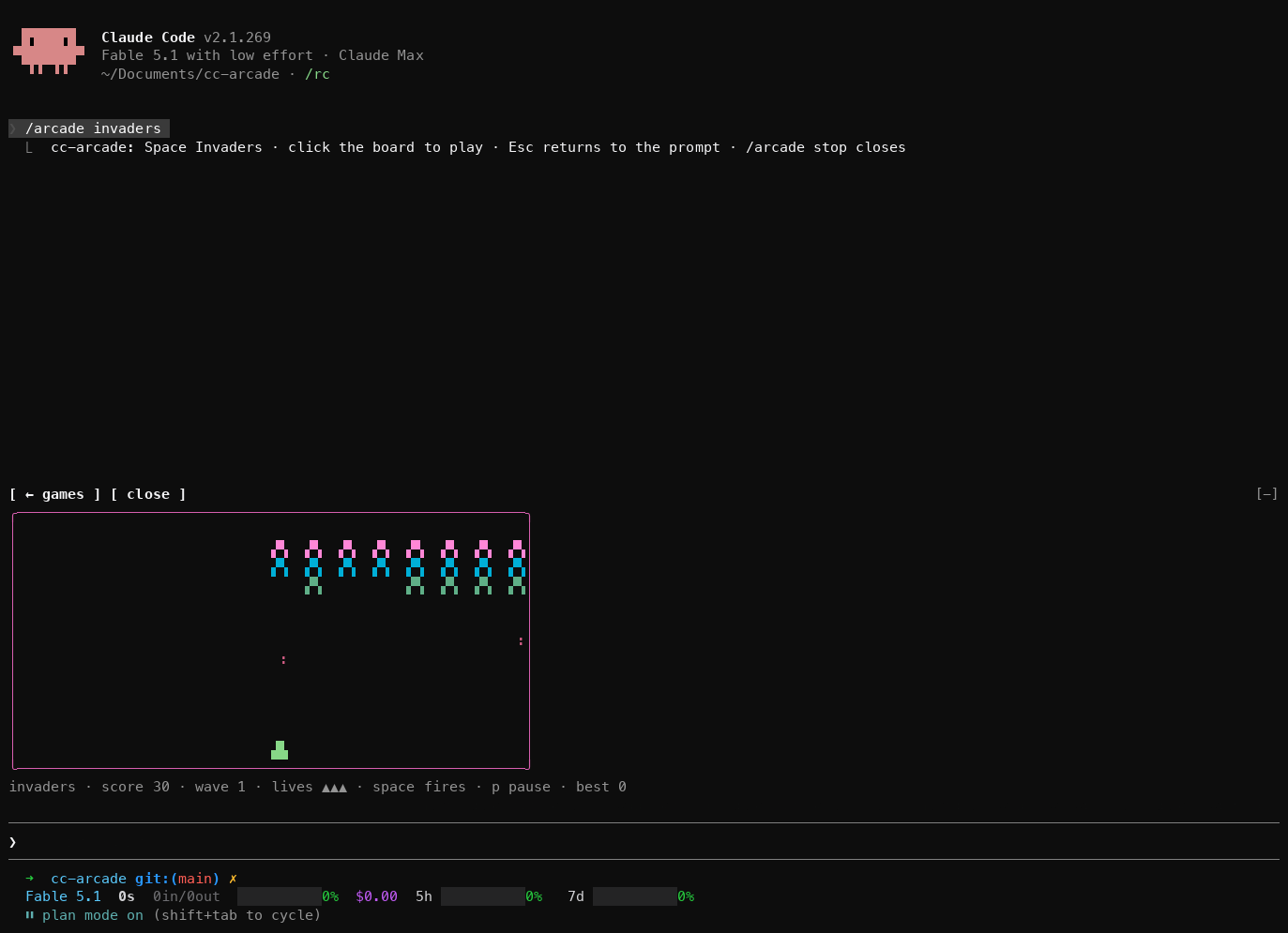 | 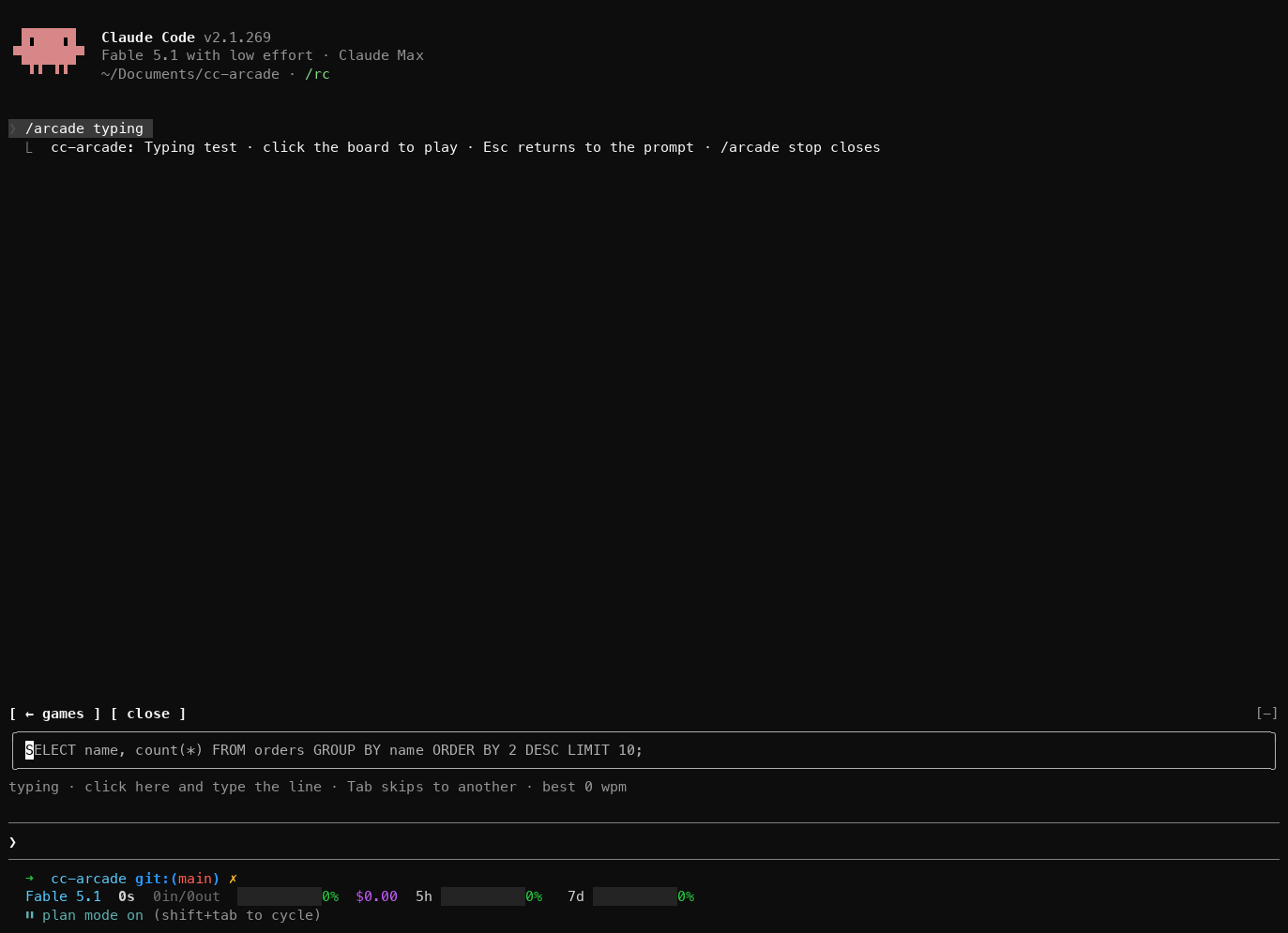 | These are clones of the genre, not affiliated with or endorsed by Tetris Holding, Taito, Atari or id Software. ## Doom A limited copy, not a port. No WAD file, no id Software art or levels, no sectors, no sound, no saves — a small corridor shooter that borrows the shape of the thing. The floors are mine. 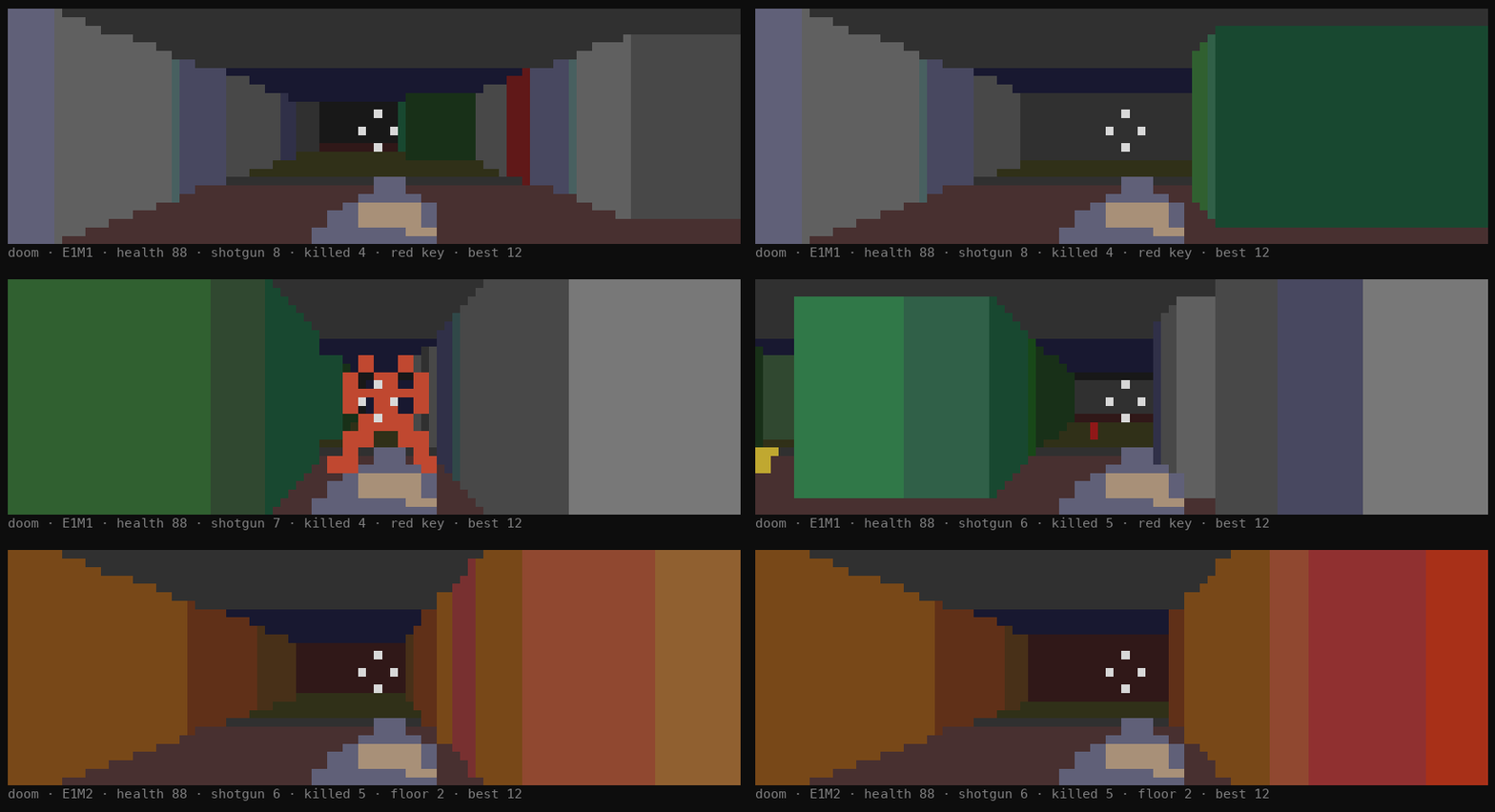 | | | |---|---| | `W` `S`, or ↑ ↓ | walk forward and back | | `A` `D` | strafe | | ← →, or `q` `e` | turn | | mouse over the view | aim; a click fires | | Space, Enter | fire | | `1` `2` `3` | pistol, shotgun, chaingun — the ones you are carrying | | `p`, `r` | pause, start again | Four floors, played in order and then round again from the first, so the fifth floor is the first one with whatever arsenal you kept. There is no ending: you play until you die, and the score is the kills. Walk over a pickup to take it. Stand next to a locked door holding the red key and it opens for good. Walk into the exit switch — the bright green pillar — to carry everything but the red key to the next floor, plus ten bullets. 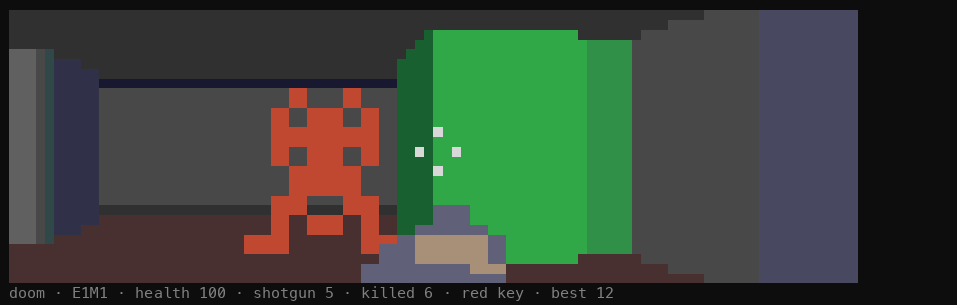 | monster | | | weapon | | | |---|---|---|---|---|---| | **imp** | 60 hp | chases, claws, throws fireballs | **pistol** | 18 a shot | what you start with | | **demon** | 110 hp | faster, tougher, bites only | **shotgun** | 3 × 22 | kills an imp in one, up close | | **zombie** | 30 hp | shoots from a distance, closes slowly | **chaingun** | 12 a shot | a shot every other frame | Bullets and shells are separate pools and both run out; a gun that clicks empty switches itself to one that has not. `/arcade colorblind` swaps in a palette that does not lean on red against green, and marks the door and the exit switch with a pattern each. It is remembered between sessions. The two pictures above are rendered from the board's own output rather than captured from a session, so the frame Claude Code draws around it is missing. ## Playing while Claude works Send your prompt, then open a game. When the turn finishes, the open game pauses and its status line turns yellow and starts with `● Claude is done`. Press a key in the game to carry on, or Esc to go and read the reply. Doom dims the view and says it across the middle as well, since a paused corridor and a running one are the same picture. The pet has no status line, so it shows no banner. The board takes the rows above the prompt that Claude Code gives plugins, about half the terminal height. A taller terminal gives bigger snake, Tetris, Flappy, Pong and Invaders boards. ## Auto `/arcade auto`, or `auto` in the picker, looks at the moment and picks from a small group: - **The last thing Claude did was fail a test run, under five minutes ago**: `pet`, to check on it. - **Claude has been on this turn for a minute or more**: `tetris`, `invaders`, `doom` or `snake`, something to sink into. - **Claude is working, under a minute so far**: `flappy`, `pong` or `typing`, a quick round. - **Claude is idle**: `2048` or `minesweeper`, games you can put down any time. Within the group it picks at random and avoids the game you just played. The reply says why, for example `2048 (auto: Claude is idle, a game you can put down any time)`. ## The pet `/arcade pet` shows a pet that grows with the work Claude does, in every session with the plugin loaded. You do not play it; it watches Claude's tool calls. Click it and it shows hearts. 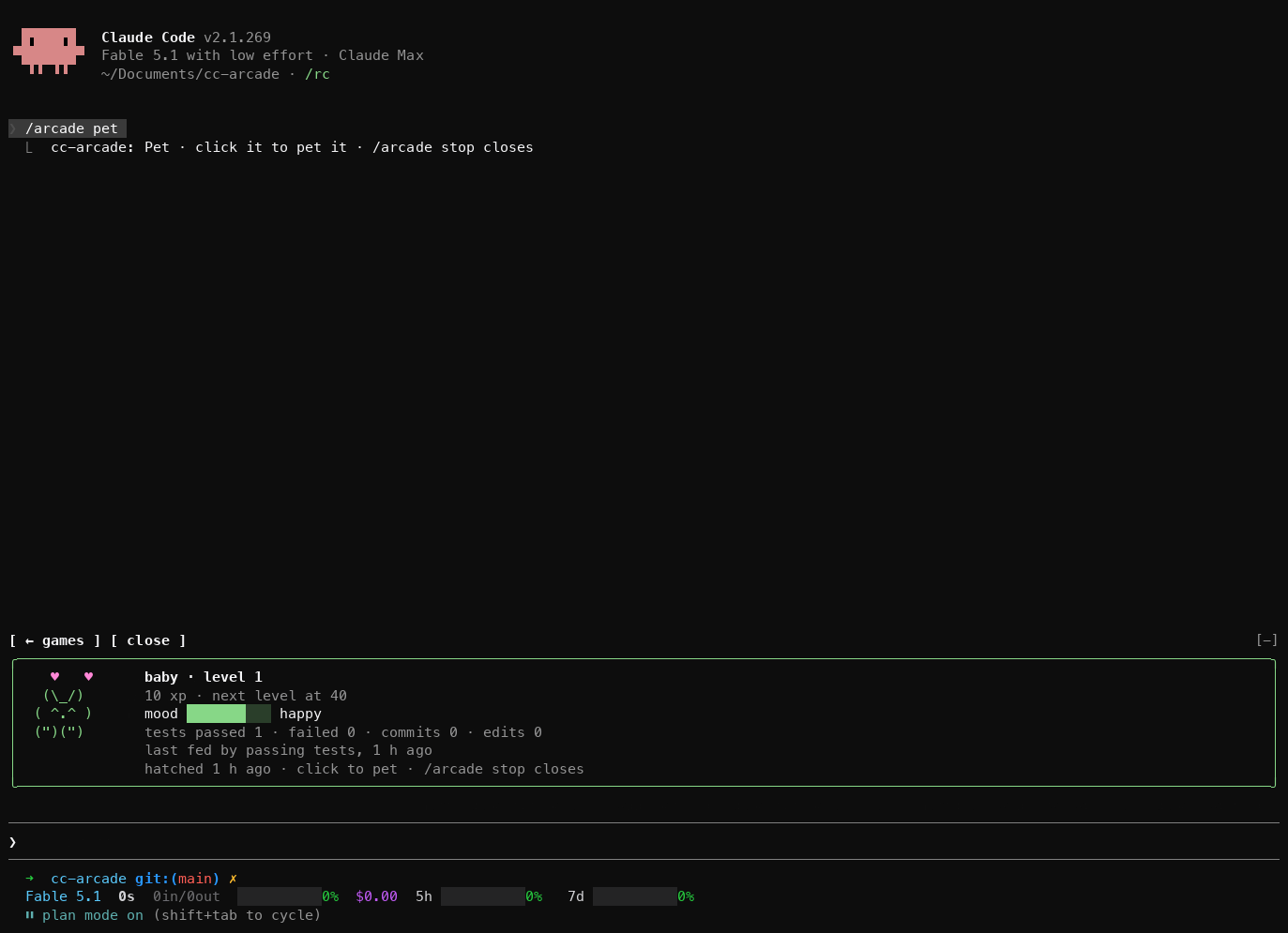 - **A test run that passes** gives +10 XP and lifts its mood by 8. Recognised runners: `bun test`, `npm test`, `pnpm test`, `yarn test`, `pytest`, `go test`, `cargo test`, `jest`, `vitest`, `mocha`, `rspec`, `phpunit`, `make test`, and `test` tasks of `mvn`, `gradle`, `gradlew` and `sbt`, also through `npx`. - **A test run that fails** gives +2 XP but costs 12 mood. - **A `git commit` that succeeds** gives +15 XP and 10 mood. A `--dry-run` does not count. - **A file edit** through Claude's `Edit`, `Write` or `NotebookEdit` gives +1 XP and 1 mood. Level *n* needs 10·*n*² XP. The pet hatches at level 1, becomes a kid at 3, an adult at 6 and a legend at 10, and a toast marks each level. Its mood is happy from 70, okay from 35 and sad below; with no work it sinks a point every ten minutes until it is bored at 30, and only failing tests take it lower. The pet is kept in the plugin's store, so every session feeds the same one and it survives restarts. Commands you run yourself in a terminal do not count; only Claude's tool calls do. **What the pet sees.** To feed it, the plugin hooks every tool call in sessions where it is loaded, which means it sees each Bash command's text and whether the call failed. It matches that text against the list above and keeps counters only: no command text, file path or prompt is stored or logged. The plugin makes no network calls of any kind; the pet and your best scores stay in Claude Code's plugin store on this machine. ## Best scores Each game keeps its best score across sessions, and a new best shows a toast. `/arcade list` shows them all. - **snake**: most food eaten - **tetris**: highest score, with 100, 300, 500 or 800 for clearing 1 to 4 lines at once and 2 per row dropped with Space - **2048**: highest score when no slide is left - **minesweeper**: fastest clear, in seconds - **flappy**: most pipes passed - **pong**: biggest margin you won by - **typing**: fastest finished line, in words per minute at five characters a word - **invaders**: highest score, 10 per alien - **doom**: most monsters killed before you died ## How it works - `hooks/register.tsx` is the hooks module. It registers `/arcade` and draws the picker or the open board above the prompt. It keeps best scores and the pet with `$.store`, times turns for `auto` on `turn.start`, pauses the open game on `turn.complete`, and feeds the pet on `tool.call`. - `hooks/boards/*.tsx` are surface modules, one per board, mounted as `Client` elements. Each runs on the drawing thread with its own frame clock, keyboard and mouse, and posts a finished round's score back to the hooks module. - `hooks/games/*.ts` hold each game's rules, the pet, the best-score comparison and the `random` and `auto` pickers as pure functions. The tests cover them. ## Troubleshooting - **`/arcade` is an unknown command.** The plugin is not loaded. Check Claude Code is 2.1.287 or later and that the plugin shows in `/plugins`. - **Keys go to the prompt instead of the game.** Click the board first. Esc hands the keyboard back to the prompt. - **Nothing happens when you click.** Your terminal does not report the mouse. `/arcade <game>` still opens a game, but a board cannot get the keyboard without a click. - **The board is small.** Claude Code gives the area above the prompt about half the terminal. Make the terminal taller. - **A board is replaced by one line naming the plugin and the module.** The board threw an error or ran over its time budget and was unmounted. Run `/arcade stop` and open it again. If it repeats, start Claude with `--debug-file /tmp/cc-arcade.log` and search the log for `cc-arcade`. - **The pet does not grow.** Only Claude's tool calls feed it, and only the commands listed in [The pet](#the-pet). - **Games stopped working after editing the plugin.** A hot reload that fails partway leaves the old version loaded. Restart the session. ## Limits - The animated boards redraw ten times a second, doom twenty, so fast games feel coarse next to a real console. 2048 and Minesweeper are turn-based and the pet redraws five times a second. - One game is open at a time, in about half the terminal height. - A game only gets the keyboard after a click, and never gets Esc, which always returns to the prompt. - A headless `claude -p` run, the desktop app and mobile never draw the arcade. - Best scores and the pet live in the plugin's store on this machine. Nothing is shared between machines. ## Develop From the repo root: The first two work on a bare clone, and CI runs both on every push: ```sh bun test # game rules, the pet, best scores, random and auto bunx --bun oxlint@1.83.0 hooks tests --deny-warnings # dead code and correctness, no config file claude plugin validate .claude-plugin/plugin.json # lists the hooked events, $ calls and surface modules claude plugin validate . # checks the marketplace manifest ``` Type checking needs the types: open a Claude Code session in this folder run `/plugin-types` (it writes the git-ignored `.claude/types/`), then: ```sh bunx -p typescript tsc -p . ``` Two rules for board files: never name a local variable `h`, because every JSX tag compiles to a call of `h` and a local `h` breaks the board at its first draw; and write `Client` module paths as string literals, because the engine reads them off the source. Edits hot-reload into a running session. If a reload fails partway, the transcript says so; restart the session. ## License MIT. See [LICENSE](LICENSE).
Preview capped at 60,000 characters. Download the bundle for every original file and notice.
Read the redistribution license
MIT License

Copyright (c) 2026 Seza Akgün

Permission is hereby granted, free of charge, to any person obtaining a copy
of this software and associated documentation files (the "Software"), to deal
in the Software without restriction, including without limitation the rights
to use, copy, modify, merge, publish, distribute, sublicense, and/or sell
copies of the Software, and to permit persons to whom the Software is
furnished to do so, subject to the following conditions:

The above copyright notice and this permission notice shall be included in all
copies or substantial portions of the Software.

THE SOFTWARE IS PROVIDED "AS IS", WITHOUT WARRANTY OF ANY KIND, EXPRESS OR
IMPLIED, INCLUDING BUT NOT LIMITED TO THE WARRANTIES OF MERCHANTABILITY,
FITNESS FOR A PARTICULAR PURPOSE AND NONINFRINGEMENT. IN NO EVENT SHALL THE
AUTHORS OR COPYRIGHT HOLDERS BE LIABLE FOR ANY CLAIM, DAMAGES OR OTHER
LIABILITY, WHETHER IN AN ACTION OF CONTRACT, TORT OR OTHERWISE, ARISING FROM,
OUT OF OR IN CONNECTION WITH THE SOFTWARE OR THE USE OR OTHER DEALINGS IN THE
SOFTWARE.
Bundle SHA-256: 861edb135aee44493c7bc3f1181658ad7e63a5d6e8812e3a5df296479e4226d6. Files are served as downloads and are never executed by this page.